
Have you ever opened a computer, tried to complete a simple task, and realized you did not know where to start? Maybe you wanted to create a professional document, use Excel for a school project, build a website, or learn a little programming. You search for a tutorial, but suddenly you are faced with dozens of websites, long videos, and courses that ask for payment.
It can be difficult to decide which resource is worth your time.
The good news is that you can learn many useful computer skills online without spending money on expensive classes. Several websites offer free tutorials, interactive exercises, programming lessons, and practical projects that you can complete at your own pace.
The key is choosing a website that matches your current skill level and learning one thing at a time.
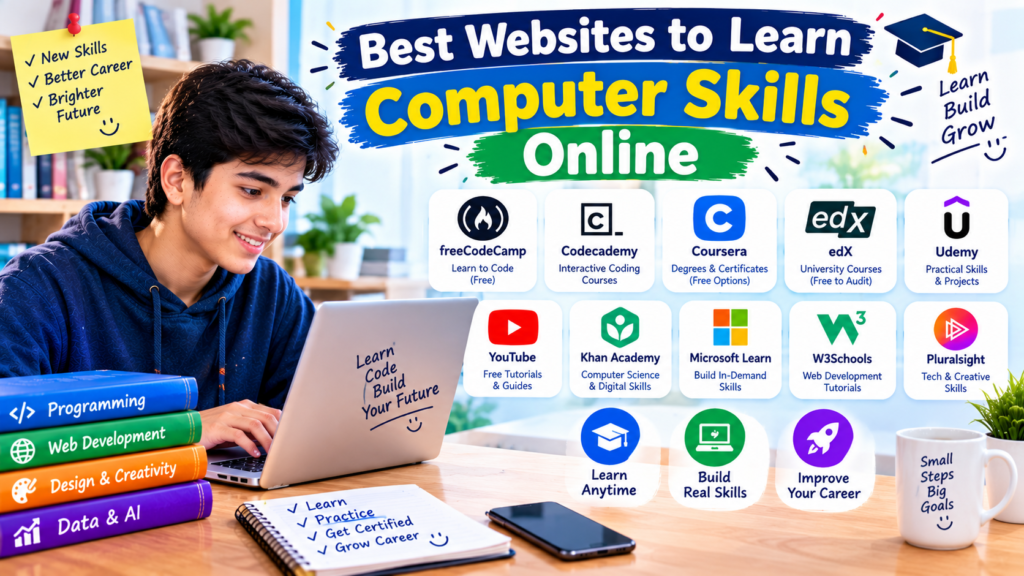
In this guide, we will explore the best websites to learn computer skills online, including resources for complete beginners and learners interested in programming, office software, cybersecurity, and web development.
Why Should You Learn Computer Skills Online?
Computer skills are useful for much more than working in an office. Students use them to prepare assignments, organize research, create presentations, and communicate with teachers. People working online may need them to manage files, update websites, prepare spreadsheets, or collaborate with clients.
Even basic skills can make everyday tasks easier.
For example, knowing how to use Google Docs can help you prepare a school report. Learning Excel can help you organize information and perform calculations. Understanding HTML and CSS can help you create your first website.
Online learning also gives you flexibility. You can study at home, practice on your own computer, and return to a lesson whenever you need a refresher.
However, watching tutorials is only one part of learning. You also need to practice the skills yourself.
1. GCFGlobal — Best for Complete Beginners
Best for: Computer basics, Windows, internet use, email, typing, and office software.
If you are new to computers, starting with advanced programming courses can feel overwhelming. You may come across unfamiliar words and instructions that assume you already know the basics.
GCFGlobal is a useful starting point because it provides beginner-friendly tutorials covering everyday technology skills.
You can learn about computer hardware, operating systems, internet safety, email, Microsoft Office, Google tools, and more. The lessons are organized by topic, making it easier to find what you need.
What can you learn on GCFGlobal?
- Basic computer operations and terminology
- How to use a keyboard and mouse
- Internet and email basics
- Microsoft Word, Excel, and PowerPoint
- Google Docs, Sheets, and other tools
- Online safety and common digital tasks
How to get started
- Visit GCFGlobal.org.
- Open the Computers section or browse all topics.
- Choose a beginner tutorial.
- Read the lesson or watch the available video.
- Practice the task on your own computer.
For example, after studying a lesson about Microsoft Word, open Word if you have it installed, or use a compatible word processor. Create a short document, format a heading, and save the file.
GCFGlobal offers its learning resources free of charge, and a free account can provide additional features such as tracking progress. <escape>Source: GCFGlobal</escape>
My recommendation: Start here if you are not yet comfortable using a computer, managing files, or working with everyday software.
2. Microsoft Learn — Best for Microsoft Technologies
Best for: Microsoft 365, Windows-related technologies, Azure, cloud computing, and technical skills.
Microsoft Learn provides structured learning modules and learning paths for people who want to understand Microsoft products and technologies.
You can find beginner-level material alongside more advanced technical topics. This makes it useful whether you want to improve your knowledge of Microsoft tools or explore a technology career.
For example, you might begin with a module about cloud computing concepts and later explore how cloud services are used in real projects.
What makes Microsoft Learn useful?
- Self-paced learning modules
- Step-by-step technical explanations
- Guided learning paths
- Beginner and advanced topics
- Learning resources related to Microsoft technologies
How to use Microsoft Learn
- Visit Microsoft Learn.
- Browse the training catalog.
- Search for a topic, such as Microsoft 365, Azure, or cybersecurity.
- Choose a module suitable for your experience level.
- Complete the lessons and any available knowledge checks.
- Continue to the next module when you feel comfortable with the material.
One advantage of structured modules is that you do not have to decide what to study next every time you open the website.
Keep in mind that learning modules and professional certification exams are not the same thing. You can access many learning resources for free, but some official certification exams may require payment.
My recommendation: Choose Microsoft Learn if you want organized technical training or plan to explore cloud computing and other Microsoft-related skills. <escape>Official training catalog</escape>
3. freeCodeCamp — Best for Learning Programming
Best for: HTML, CSS, JavaScript, Python, databases, and web development.
If your goal is to build websites or understand programming, freeCodeCamp is one of the most useful free learning platforms to explore.
Instead of only reading explanations, you work through coding lessons and challenges. Its curriculum includes practical projects that help you apply what you have learned.
For instance, you could begin with HTML to understand how web pages are structured. Then you can learn CSS to control their appearance and move on to JavaScript to add interactive features.
What can you learn?
- HTML and CSS
- JavaScript fundamentals
- Python programming
- Data analysis
- Relational databases and SQL
- Web development concepts
- Selected topics in information security and machine learning
The available curriculum covers several areas of programming and technical education.
How to start learning with freeCodeCamp
- Open freeCodeCamp.org.
- Create an account if you want to track your progress.
- Choose a beginner-friendly curriculum.
- Read the instructions carefully.
- Complete the coding challenges yourself.
- Build the projects included in the curriculum.
Imagine you want to create a personal website. You could begin with a page containing your introduction, a heading, and a few links. Once you understand the basics, you could improve the layout and add more sections.
The first version might look simple, and that is perfectly fine. Small projects help you understand how different pieces of code work together.
freeCodeCamp describes its education as free and offers certifications tied to its curriculum. <escape>Source: freeCodeCamp</escape>
My recommendation: Choose this platform if you enjoy solving problems and want to learn programming by doing rather than only watching videos.
4. Khan Academy — Best for Computer Science Fundamentals
Best for: Beginners exploring programming concepts, algorithms, and logical thinking.
Khan Academy is widely known for mathematics and science education, but it also offers computer science learning resources.
This can be particularly helpful if you want to understand the ideas behind programming before committing to a large development course.
Computer science involves more than learning a programming language. It also includes concepts such as algorithms, problem-solving, logic, and how computers process instructions.
What can you learn?
Depending on the available course, you can explore:
- Programming fundamentals
- Algorithms and logical thinking
- Computer science concepts
- Interactive coding activities
- Mathematics that supports technical learning
How to begin
Visit Khan Academy, search for computer science or programming, and choose a course that matches your level.
Follow the lessons in order, complete the activities, and spend time experimenting with the examples.
For example, if you learn about conditions in programming, try changing the conditions in a practice activity and observe what happens. This helps you understand why a program produces a particular result.
My recommendation: Khan Academy is a good option for students who want to strengthen their technical foundations before moving into more specialized programming topics.
5. W3Schools — Best for Quick Web Development Tutorials
Best for: HTML, CSS, JavaScript, SQL, and introductory web development.
Sometimes you do not need a long course. You simply want to understand a particular coding concept and test it immediately.
W3Schools is useful for this style of learning because it organizes web development topics into short tutorials with examples.
For instance, if you are learning HTML, you can look up how headings, paragraphs, links, and images work. You can then experiment with examples using the website’s interactive editor where available.
Topics to explore
- HTML for structuring web pages
- CSS for styling websites
- JavaScript for interactive behavior
- SQL for working with databases
- Python and other programming topics
A simple learning method
- Visit W3Schools.
- Select a language or technology.
- Start with the introductory tutorial.
- Read an example and examine the code.
- Run or modify the example where an editor is available.
- Create a small variation of your own.
Suppose you are learning HTML links. Instead of copying an example and moving on, change the link text and destination in a practice file. Then add another link and see how the page behaves.
That small experiment is often more useful than reading five additional pages without writing any code.
Some learning content is freely available, while certain certifications and other services may be paid.
My recommendation: Use W3Schools as a reference alongside a more structured course. It is especially useful when you need to look up a specific HTML, CSS, JavaScript, or SQL feature.
6. The Odin Project — Best for a Structured Web Development Path
Best for: Learners who want to work toward building complete websites.
The Odin Project is designed for people who want to learn web development through a structured curriculum and practical work.
It is more demanding than a collection of short tutorials because you are expected to read documentation, solve problems, and build projects.
That makes it a good choice for learners who already understand basic computer operations and are ready to spend consistent time practicing.
What does it cover?
Its curriculum includes web development fundamentals, programming, developer tools, and project-based learning. The exact path depends on the curriculum you choose.
You can explore topics such as:
- HTML and CSS
- JavaScript
- Git and GitHub
- Web development workflows
- Practical projects
How to get started
Visit The Odin Project, review the available paths, and select the one that fits your goals.
Follow the lessons in order rather than skipping straight to the projects that look exciting.
You may need to install software and become comfortable using a code editor and terminal. These tasks can seem difficult at first, but they are part of learning how web development works.
My recommendation: Choose The Odin Project if you want a more comprehensive learning path and are comfortable learning through reading, experimentation, and projects.
7. Coursera — Best for University-Style Courses
Best for: Computer science, IT support, data analysis, cybersecurity, and professional development.
Coursera brings together courses and learning programs from universities and other organizations.
It is useful when you prefer a course with a clear syllabus, video lessons, assessments, and a defined learning sequence.
You can browse introductory courses in areas such as computer science, information technology, programming, and data analysis.
How does the free option work?
Coursera’s access arrangements vary by course and program. Some courses offer free access to learning materials, while others may require payment or provide limited free previews. Certificates and graded assessments may also require payment.
Before starting, check the specific course page to understand what you can access for free.
How to choose a course
- Visit Coursera.
- Search for a topic such as IT support or computer science.
- Open a course that matches your skill level.
- Review the syllabus, requirements, and pricing information.
- Check whether free access is available.
- Begin with a course that has a manageable workload.
For example, if you are interested in IT support, look for an introductory course covering operating systems, troubleshooting, and computer hardware.
My recommendation: Coursera is worth exploring if you prefer a more formal course structure. Just remember to check the price before committing to a certificate or paid program.
8. edX — Best for Academic Computer Science Learning
Best for: Computer science fundamentals, programming, data science, and university-style learning.
edX offers courses from educational institutions and other organizations. It can be useful for learners who want a more academic introduction to computer science and related technical fields.
Depending on the course, you may encounter video lectures, readings, exercises, and assessments.
Topics you can explore
- Introduction to computer science
- Programming
- Data science
- Software development
- Information technology and related subjects
How to get started
Visit edX, search for a beginner course, and review its course details.
Pay attention to the difference between auditing a course, accessing graded activities, and purchasing a verified certificate. The options vary, and not every course offers the same free access.
If you are a beginner, start with a course that explains the foundations rather than one that assumes you already know a programming language.
My recommendation: Consider edX when you want to explore academic material or compare course outlines before choosing a learning path.
9. Google Applied Digital Skills — Best for Practical Digital Tasks
Best for: Digital productivity, collaboration, and practical computer-based activities.
Learning computer skills is not only about programming. Many students also need to create documents, manage information, prepare presentations, and work with other people online.
Google Applied Digital Skills offers practical lessons built around completing digital tasks. It is particularly relevant if you want to learn by following instructions and producing something useful.
Skills you may explore
- Creating and organizing digital documents
- Working with spreadsheets
- Preparing presentations
- Collaborating on digital projects
- Using Google tools for everyday tasks
How to use it
Visit Google Applied Digital Skills, browse the lessons, and choose a task related to your needs.
For example, if you want to improve your presentation skills, follow a suitable lesson and create a presentation on a topic you are studying at school.
When you finish, review your work and ask yourself whether someone else could understand it easily.
My recommendation: This is a practical option for students who want to become more comfortable with digital tools they can use for schoolwork and everyday tasks.
10. Cisco Networking Academy — Best for Networking and IT Fundamentals
Best for: Computer networking, introductory cybersecurity, and IT-related learning.
If you are interested in how computers connect to each other and how networks work, Cisco Networking Academy is worth exploring.
Networking knowledge can help you understand concepts such as routers, switches, IP addresses, and the way devices communicate.
The platform provides learning opportunities in networking and related technology subjects, with course availability and formats varying by program.
How to get started
- Visit Cisco Networking Academy.
- Browse the available courses.
- Look for introductory networking or IT material.
- Review the course requirements and whether it is free.
- Follow the lessons and complete the available exercises.
For example, you might begin by learning the difference between a local network and the internet. Once you understand those concepts, you can move on to how devices receive addresses and communicate.
Some courses may include hands-on activities or simulations, while others focus more on concepts.
My recommendation: Choose this option if you are interested in networking or want to explore a technical IT pathway.
Quick Comparison: Which Website Is Right for You?
| Website | Best for | Free learning availability |
|---|---|---|
| GCFGlobal | Computer basics and office software | Free tutorials |
| Microsoft Learn | Microsoft technologies and cloud skills | Many free learning modules |
| freeCodeCamp | Programming and web development | Free curriculum |
| Khan Academy | Computer science foundations | Free learning resources |
| W3Schools | Quick coding tutorials | Many free tutorials |
| The Odin Project | Structured web development | Free curriculum |
| Coursera | Structured courses | Depends on the course |
| edX | Academic computer science | Depends on the course |
| Google Applied Digital Skills | Practical digital tasks | Free learning resources |
| Cisco Networking Academy | Networking and IT | Course availability varies |
Free access does not always mean that every feature, certificate, or examination is free. Always review the terms on the official website before enrolling.
How to Learn Computer Skills Online Step by Step
Choosing a good website is only the beginning. You also need a learning routine that helps you turn lessons into usable skills.
Here is a practical approach.
Step 1: Decide what you want to learn
Avoid setting a goal as broad as “I want to learn computers.” Choose a specific outcome instead.
For example:
- Learn to use Word and Excel.
- Build a basic website.
- Understand computer hardware.
- Learn the fundamentals of Python.
- Improve internet and online safety skills.
A clear goal makes it easier to choose the right course.
Step 2: Pick one main learning website
Start with one primary resource instead of switching between five courses.
If you are completely new to computers, begin with GCFGlobal. If you want to build websites, choose freeCodeCamp or The Odin Project. If you are interested in Microsoft technologies, explore Microsoft Learn.
You can use other websites as references when you need a different explanation.
Step 3: Practice immediately
After learning something new, use it.
If you learn how to create a spreadsheet, make one for your weekly study schedule. If you learn HTML, build a simple webpage. If you learn file management, organize your practice documents into folders.
Practical exercises help you discover what you understand and what you still need to review.
Step 4: Build small projects
You do not need to create a complicated application to demonstrate progress.
Try projects such as:
- A personal webpage using HTML and CSS.
- A monthly expense tracker in a spreadsheet.
- A presentation about a school subject.
- A neatly formatted document.
- A simple program that performs a calculation.
Keep your projects saved in an organized folder so you can return to them later.
Step 5: Review and improve
When you finish a project, check for mistakes and identify one thing you could improve.
For example, you might discover that your webpage works but the text is difficult to read on a phone. You can then learn how to improve its layout.
Treat mistakes as information about what to learn next, rather than a reason to give up.
A Simple 30-Day Computer Skills Learning Plan
If you are unsure where to begin, use this example plan and adjust it to your schedule.
| Week | Learning goal | Practice task |
|---|---|---|
| Week 1 | Learn computer and internet basics | Organize files and create a document |
| Week 2 | Learn office and productivity tools | Make a spreadsheet and presentation |
| Week 3 | Explore programming or web development | Build a basic webpage or complete beginner coding exercises |
| Week 4 | Review and create a small project | Finish a project and correct mistakes |
You do not need to spend several hours every day. A regular session of 20–30 minutes can be a manageable starting point, especially when you use that time to practice rather than only watch lessons.
If a topic takes longer than expected, continue working on it. The purpose of the plan is to create a routine, not to rush through material.
Common Mistakes to Avoid When Learning Computer Skills
1. Watching tutorials without practicing
A lesson can seem easy while someone else demonstrates it. Try completing the same task yourself before moving on.
2. Switching between courses too often
Different teachers may explain the same concept in different ways, but constantly changing courses can make it difficult to build a solid foundation. Finish a small section before deciding whether to switch.
3. Starting with advanced topics
If you have never written code, starting with a complicated software development course may be frustrating. Begin with introductory material and increase the difficulty gradually.
4. Expecting certificates to replace practical ability
A certificate may show that you completed a course, but it does not automatically prove that you can perform every related task. Projects and practical exercises help you demonstrate what you know.
5. Ignoring computer and internet safety
Learn how to recognize suspicious links, use strong passwords, install software from trusted sources, and protect your personal information. These are important computer skills, not optional extras.
6. Trying to learn everything at once
Computer skills cover a wide range of subjects. You do not need to master programming, networking, spreadsheets, and graphic design at the same time. Focus on one useful skill before moving to the next.
Do You Need a Powerful Computer to Learn Online?
Not always.
Many beginner tutorials, office tools, and introductory programming lessons work on an ordinary laptop or desktop computer. Some activities can also be completed on a tablet or smartphone.
However, a computer is usually more convenient for learning file management, coding, spreadsheet work, and web development because you can use a keyboard, manage multiple windows, and save project files more easily.
If your internet connection is slow, choose text-based lessons or short videos when possible. Avoid downloading large files unless you need them.
Before starting a course, check its technical requirements. Some advanced topics may require specific software, more memory, or a compatible operating system.
Final Thoughts
Learning computer skills online is easier when you know where to begin and have a clear goal.
GCFGlobal is a strong starting point for everyday computer skills. Microsoft Learn is useful for Microsoft technologies, while freeCodeCamp, W3Schools, and The Odin Project offer different ways to explore programming and web development. Khan Academy can help you build foundations, and platforms such as Coursera, edX, Google Applied Digital Skills, and Cisco Networking Academy offer additional options depending on your interests.
You do not have to use all ten websites. Choose one that matches your needs, follow a suitable beginner course, and practice what you learn.
Start with a small task today. Create a document, organize your files, complete a coding exercise, or build a simple webpage. As you finish more projects, you will have concrete examples of your progress and a clearer idea of which skills you want to learn next.