
Have you ever opened your laptop to study, watched a few minutes of a lesson, checked a notification, and then realized that half an hour had passed without learning much? It happens more often than you might think. Online learning gives students access to thousands of useful resources, but having access to information does not automatically mean understanding it.
The good news is that you do not need an expensive laptop, a paid study app, or a perfect study room to learn effectively online. With a few practical habits and the right technology, you can make your study sessions more organized, productive, and enjoyable.
Whether you are a school student, a college student, a university learner, or someone developing new skills at home, the right approach can make a noticeable difference.
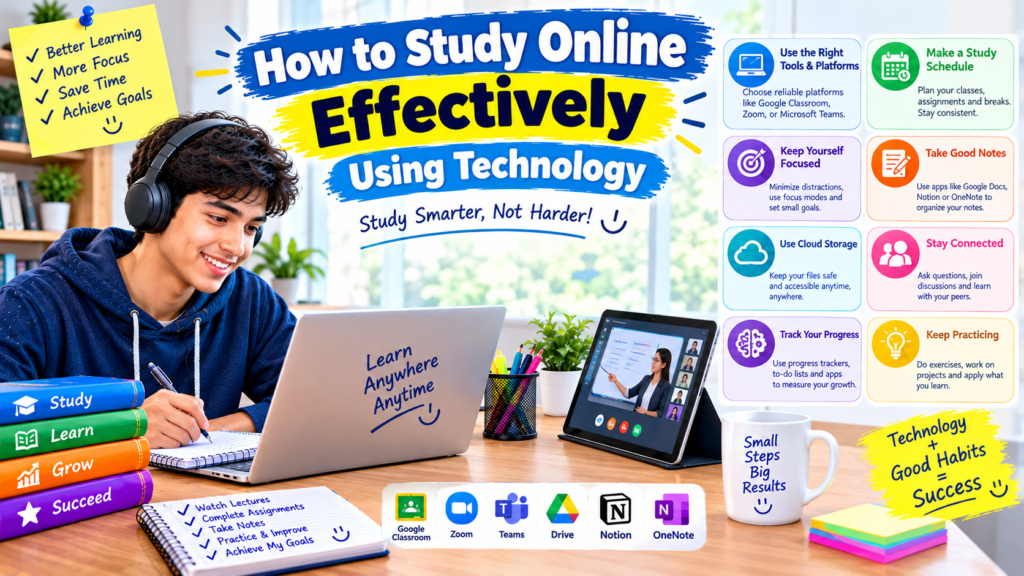
In this guide, we will explore how to study online effectively using technology, which tools are worth trying, how to manage distractions, and how to build a routine that works in everyday life.
Why Online Studying Can Be Difficult
Online learning sounds convenient because you can study from almost anywhere. You can watch recorded lectures, download notes, attend virtual classes, and learn new subjects without traveling to a classroom.
However, studying online also comes with a few challenges.
The first problem is distraction. Your phone or computer may contain your study materials, but it also contains social media, games, messages, and entertainment. Switching between these activities can interrupt your concentration.
The second problem is information overload. You might find dozens of YouTube tutorials explaining the same topic. Instead of choosing one and learning from it, you may spend your entire study session deciding which video to watch.
Another common issue is poor organization. Notes saved in different folders, assignments buried in email messages, and forgotten deadlines can make studying more stressful than necessary.
The solution is not to avoid technology. It is to use technology with a clear purpose.
1. Choose the Right Device for Your Studies
You do not need the latest device to become a better online learner. The best choice depends on what you study, how you learn, and which devices are available to you.
Laptop or desktop computer
A laptop is useful for students who regularly write assignments, create presentations, research topics, or attend online classes.
You can keep a lecture open in one window while taking notes in another. Typing longer documents is also generally easier with a physical keyboard.
For example, if you are preparing a school presentation, you can research information in your browser, organize your notes in Google Docs, and create slides in PowerPoint without constantly switching devices.
Smartphone
A smartphone is helpful when you want to review flashcards, watch short lessons, listen to educational audio, or check your class schedule.
It can also be useful when you do not have regular access to a computer. Many learning platforms provide mobile apps or mobile-friendly websites.
However, reading long documents or writing lengthy assignments on a small screen can become uncomfortable. If you have access to a larger screen, consider using it for tasks that require more concentration.
Tablet
A tablet offers a middle ground between a phone and a laptop. It can be useful for reading digital textbooks, highlighting PDFs, watching lessons, and writing notes with a stylus.
Before buying a new device, consider whether your current equipment already meets your needs. A reliable internet connection, a comfortable workspace, and a consistent routine can be more useful than an expensive upgrade.
2. Use Reliable Online Learning Platforms
One of the biggest advantages of online education is the variety of learning resources available. The challenge is finding resources that explain topics clearly and match your learning goals.
Here are several platforms worth exploring.
YouTube
YouTube contains educational channels covering mathematics, science, computer skills, languages, history, and many other subjects.
It is especially useful when your textbook explanation feels confusing. Watching someone solve a problem step by step can help you understand the process.
Try searching for a specific topic instead of a broad phrase. For example, search for “solving linear equations step by step” rather than simply “math.”
Choose a clear, relevant lesson and work through it before opening another video.
Khan Academy
Khan Academy offers educational lessons and practice exercises across several school and academic subjects.
It can be particularly useful when you need to review a topic, work through examples, or practice at your own pace.
Instead of watching lessons passively, complete the practice exercises after learning a concept. Answering questions helps you discover whether you actually understand the material.
Coursera and edX
Coursera and edX offer online courses covering academic subjects, technology, business, and professional development.
Some courses provide free learning access, while certificates, graded assignments, or other features may require payment. Check the details of an individual course before enrolling.
These platforms can be helpful when you want to explore a subject beyond your regular school curriculum.
Google Classroom
Google Classroom helps teachers distribute assignments, share learning materials, and communicate with students.
If your school uses it, check your class pages regularly. Keeping track of instructions and due dates can prevent small tasks from being forgotten.
The important thing is to choose platforms based on your actual needs. You do not have to use every educational website available.
3. Organize Your Notes Digitally
Good notes make it easier to revise a topic without watching an entire lesson again.
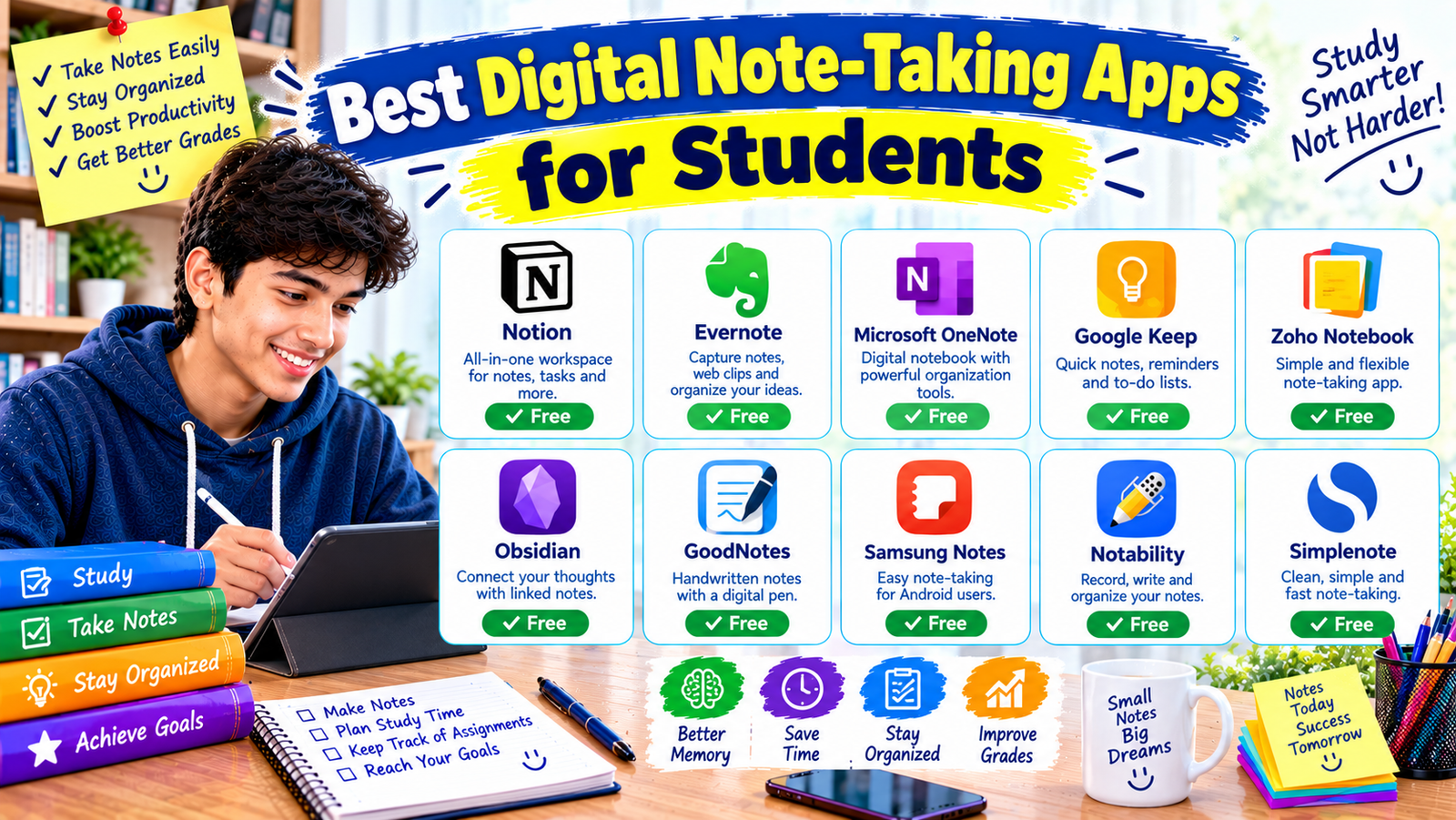
Digital note-taking tools allow you to search for keywords, organize subjects into folders, and access information from different devices.
Some useful options include:
- Google Docs: Suitable for typed notes, essays, and assignment drafts.
- Microsoft OneNote: Useful for organizing notes into notebooks and sections.
- Notion: Helpful for building a study dashboard, tracking tasks, and organizing reference materials.
- Google Drive: Useful for storing documents, presentations, and PDFs.
You can begin with a simple folder structure in Google Drive:
Study Materials
- Mathematics
- Science
- English
- Computer Studies
- Assignments
- Exam Revision
Inside each subject folder, create separate documents for lesson notes, practice questions, and revision summaries.
When taking notes, avoid copying every sentence from a video or textbook. Instead, write the main idea in your own words.
For example, after studying a science lesson, write three things you learned and one question you still have. This small habit encourages you to process the information rather than simply collect it.
Remember to use descriptive filenames, such as Science_Chapter_3_Notes, instead of names like New Document 7.
4. Create a Realistic Online Study Schedule
A study schedule helps you decide what to work on before you sit down at your desk.
Without a plan, it is easy to spend too much time on one subject and leave other assignments unfinished.
Start by listing your subjects, upcoming deadlines, and areas where you need more practice.
Then divide your work into manageable sessions.
For example, a student with two hours available might use this schedule:
| Time | Activity |
|---|---|
| 4:00–4:25 PM | Review a lesson |
| 4:25–4:30 PM | Short break |
| 4:30–4:55 PM | Solve practice questions |
| 4:55–5:00 PM | Short break |
| 5:00–5:25 PM | Study a second topic |
| 5:25–5:30 PM | Short break |
| 5:30–6:00 PM | Review notes and finish pending work |
This is only an example. You can adjust the times according to your school schedule, energy levels, and responsibilities.
Digital calendars such as Google Calendar and task managers such as Todoist can help you keep track of study sessions and deadlines.
A useful rule is to make your daily goals specific. Instead of writing “study English,” write “review ten vocabulary words and complete one grammar exercise.”
Specific tasks make it easier to recognize progress and decide what to do next.
5. Use the Pomodoro Technique to Manage Your Time
If you find it difficult to concentrate for long periods, try the Pomodoro Technique.
The basic idea is simple: work for a set period, take a short break, and then repeat the process.
A common starting point is 25 minutes of focused study followed by a five-minute break. After several sessions, you can take a longer break.
You can use a regular clock, your phone’s timer, or a simple online timer. There is no need to install a complicated application.
During a study session, choose one task and focus on it. If you are solving mathematics questions, avoid switching to social media or unrelated videos.
During breaks, stand up, stretch gently, get some water, or look away from your screen.
If 25 minutes feels too long or too short, adjust the interval. The purpose is to support concentration, not to follow a timer perfectly.
6. Learn Actively Instead of Just Watching Videos
One mistake many online learners make is assuming that watching a lesson is the same as learning the material.
You might understand every step while the instructor explains it, but struggle when you attempt a similar question without help.
To avoid this, make your study sessions interactive.
Pause and recall
After watching a short section of a lesson, pause the video and explain the main idea in your own words.
You can speak aloud, write a brief explanation, or pretend you are teaching the concept to another student.
If you cannot explain it clearly, revisit the relevant section.
Practice without looking at the answer
After reviewing an example, close the solution and try a similar question independently.
Making mistakes during practice is useful because it shows you which parts need more attention.
Use digital flashcards
Tools such as Anki and Quizlet can help you review definitions, vocabulary, formulas, and other facts.
Create a question on one side and its answer on the other. Test yourself before revealing the answer.
For example:
Question: What is the purpose of a computer operating system?
Answer: It manages the computer’s resources and provides an environment for applications to run.
Review difficult cards more frequently and revisit older material over time.
Active recall and spaced repetition can help you remember information more effectively than repeatedly reading the same notes.
7. Use AI Tools as Study Assistants
Artificial intelligence tools can make some learning tasks easier when you use them thoughtfully.
For example, ChatGPT can explain a difficult concept in simpler language, generate practice questions, suggest a revision plan, or help you understand why an answer is incorrect.
Imagine you are studying computer networking and do not understand the difference between a router and a switch. You could ask an AI assistant to explain both using a simple example from a school computer lab.
You could then ask for five practice questions to check your understanding.
AI can also help you break a large assignment into smaller tasks and identify topics you may need to review.
However, it is important to use these tools carefully.
AI-generated answers can contain mistakes, outdated information, or explanations that leave out important details. Verify important facts using your textbook, teacher’s instructions, or reliable educational sources.
Do not simply copy an AI-generated assignment and submit it as your own. Use the explanation to develop your understanding, write your own response, and follow your school’s rules about AI assistance.
A good approach is to attempt the question yourself first, use AI to clarify confusing points, and then solve a similar problem without assistance.
The goal is to become more independent, not more dependent on a tool.
8. Make Online Studying Easier With Better Internet Habits
A slow or unreliable internet connection can interrupt lessons and make studying frustrating.
This can be particularly challenging when you attend online classes or share an internet connection with other people at home.
A few practical habits can help.
First, download permitted study materials when your connection is working well. If your teacher provides PDFs or recorded lessons for offline use, save them in clearly labeled folders.
Second, use video quality that your internet connection can handle. A lower resolution may be sufficient when the main purpose is listening to an explanation.
Third, close unnecessary browser tabs and applications. This can reduce distractions and may improve performance on devices with limited memory.
If you have limited mobile data, check whether your learning platform offers offline access or data-saving settings. Download large files using a trusted Wi-Fi connection when practical.
Keep important notes available offline whenever possible. That way, a temporary internet problem does not have to stop all your studying.
9. Reduce Digital Distractions
Technology can support learning, but it can also compete for your attention.
A message notification may seem harmless, yet responding to it can lead to several minutes of unrelated browsing.
The first step is to make your study environment less distracting.
Put your phone on silent or enable a focus mode during study sessions. If you need your phone to watch a lesson, disable notifications from nonessential applications.
You can also use built-in focus features on Windows, Android, or other devices to limit interruptions.
On your computer, close tabs that are unrelated to the task. If you are writing an assignment, you may only need a document editor and one research tab.
Another helpful strategy is to decide when you will check messages. For example, you might review notifications during a planned break rather than every time your screen lights up.
Do not expect yourself to concentrate perfectly from the beginning. If you become distracted, return to the task without wasting time blaming yourself.
The aim is to build a routine that makes concentration easier.
10. Keep Your Digital Study Space Clean
A disorganized computer can waste more time than you might expect.
You may spend several minutes searching for an assignment, downloading the same file twice, or trying to remember which document contains your latest notes.
Set aside a little time each week to organize your digital materials.
Here is a simple system:
- Create one main folder for your education.
- Make a separate folder for each subject.
- Save assignments with clear filenames.
- Move completed work into an archive folder.
- Delete unnecessary duplicate downloads.
- Back up important files.
Google Drive, OneDrive, and other reputable cloud storage services can help keep files accessible across devices. Check storage limits and privacy settings before using any service.
For important assignments, keeping an additional copy on a trusted device or external drive can provide extra protection.
Be careful when handling personal information. Do not upload private school records, passwords, or sensitive documents to unfamiliar websites or AI tools.
An organized study space makes it easier to start working because you spend less time preparing and searching.
11. Track Your Progress With Simple Digital Tools
It is easy to feel as though you are not making progress when a subject is difficult. Tracking completed tasks can help you see what you have learned and identify where you need more practice.
You do not need an elaborate productivity system.
A spreadsheet in Google Sheets or Microsoft Excel can be enough.
Create columns for the subject, topic, date studied, practice completed, and topics that need revision.
For example:
| Subject | Topic | Progress | Next step |
|---|---|---|---|
| Mathematics | Linear equations | Practiced | Solve harder questions |
| English | Grammar | Reviewed | Complete an exercise |
| Computer Studies | Operating systems | Learning | Review key terms |
Update your tracker after each study session.
Focus on learning outcomes rather than simply counting hours. Spending an hour studying a topic does not necessarily mean you understand it. Being able to explain the topic or solve relevant questions is a more useful sign of progress.
You can also schedule a weekly review. Look at completed tasks, identify unfinished work, and choose your priorities for the coming week.
12. Follow a Step-by-Step Online Study Routine
If you are unsure how to combine all these suggestions, start with a straightforward routine.
Step 1: Choose one clear goal
Before opening your laptop, decide exactly what you want to accomplish.
For example, your goal might be to understand a particular mathematics concept or finish a draft of an English assignment.
Step 2: Open only the tools you need
You might need a browser, Google Docs, a textbook PDF, or an educational video.
Avoid opening unnecessary websites or applications.
Step 3: Learn the topic
Read the relevant section or watch a suitable lesson. Pause when necessary and write down important ideas.
Step 4: Test yourself
Close the lesson and try to recall the main points. Answer practice questions or explain the concept without looking at your notes.
Step 5: Check your mistakes
Compare your answers with a reliable solution or textbook explanation. Write down what you misunderstood and try again.
Step 6: Save your work
Store your notes and assignments in the appropriate folder. Record any questions you want to ask your teacher.
Step 7: Plan the next session
Before finishing, decide what you will study next. This makes it easier to begin the following day.
Following these steps consistently is often more useful than constantly searching for a new study technique.
13. Common Online Study Mistakes to Avoid
Even with useful apps and a good schedule, some habits can make online learning less effective.
Watching too many tutorials
Watching several explanations of the same topic can feel productive, but it may leave little time for practice.
Choose one reliable lesson, work through it carefully, and look for another explanation only when something remains unclear.
Downloading every study app
Installing too many tools can create extra work. You may end up maintaining multiple calendars, note systems, and task lists.
Start with a small collection: one note-taking tool, one calendar or task manager, and the educational platforms you actually need.
Multitasking during lessons
Listening to a lecture while scrolling through social media can make it harder to follow the explanation.
Give your attention to one task at a time, especially when learning something unfamiliar.
Ignoring revision
Studying a topic once does not guarantee that you will remember it later.
Schedule short review sessions over the following days. Use practice questions or flashcards to identify what you still remember.
Relying completely on AI
AI tools can provide useful explanations, but they should not replace independent thinking, textbook reading, or feedback from teachers.
Always check important information and practice answering questions without assistance.
Creating an unrealistic timetable
A schedule that fills every available minute can become difficult to maintain.
Leave room for breaks, unexpected responsibilities, and topics that take longer than expected. A flexible routine is easier to continue over time.
14. How to Study Online With Limited Resources
You can make meaningful progress even if you have an older laptop, a basic smartphone, or a limited internet connection.
Start with free educational resources such as Khan Academy, publicly available educational videos, and materials provided by your school.
Use free versions of tools such as Google Docs and Google Drive where available, keeping their storage limits in mind.
Download permitted reading materials for offline study, and use a notebook if typing everything is inconvenient.
If you share a computer with family members, plan your study sessions around the times when the device is available. Prepare your files in advance so you can use your time efficiently.
If electricity or internet access is unreliable, keep a list of offline tasks such as revising notes, solving textbook exercises, or reviewing downloaded PDFs.
You do not need a complicated digital setup. You need a manageable way to access information, practice what you learn, and keep track of your work.
Final Thoughts
Studying online effectively is less about owning the newest technology and more about using the tools you already have with a clear purpose.
A laptop can help you organize assignments, a smartphone can provide quick access to lessons, and educational platforms can make difficult topics easier to understand. But these tools work best when you combine them with focused study sessions, active practice, regular revision, and sensible time management.
Start small. Choose one subject, organize your materials, set a realistic goal, and spend your next study session practicing what you learn instead of simply watching another video.
As you discover which habits work best for you, adjust your routine and keep the tools that genuinely help.
Online learning becomes more manageable when every session has a purpose and you can clearly see what you are working toward. You do not have to change everything in one day. A few consistent improvements can help you build a study routine that supports your education for the long term.