
Have you ever opened a blank document to start an assignment, only to spend the next 20 minutes staring at the screen? You know what you want to say, but finding the right words feels harder than the assignment itself.
This happens to students at every level. Sometimes the problem is grammar. Sometimes it is organizing research, writing a clear introduction, or turning rough notes into a well-structured essay.
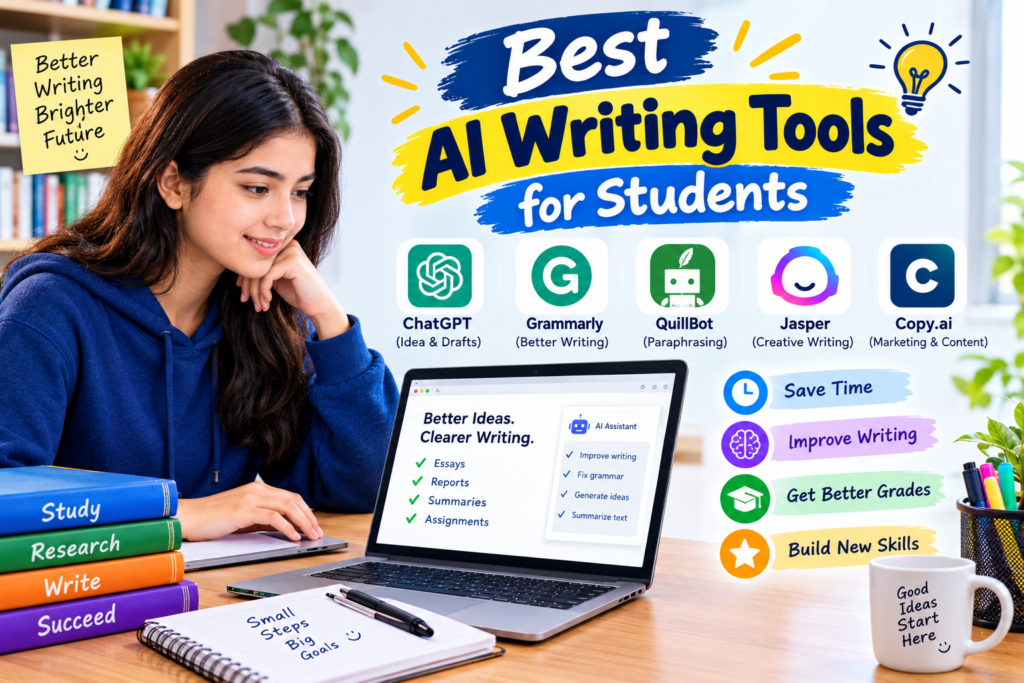
AI writing tools can help with these tasks. They can suggest ideas, explain grammar mistakes, improve sentence clarity, and help you organize your thoughts. Some also assist with research and citations.
But there is one thing worth understanding before you start: the best AI writing tool is not necessarily the one that writes the most text. It is the one that helps you express your own ideas more clearly.
In this guide, we will explore the best AI writing tools for students, their useful features, their limitations, and how to choose the right one for your school, college, or university work.
Whether you need help writing in English, preparing an essay, checking grammar, or organizing a research project, you will find practical options to consider.
What Are AI Writing Tools for Students?
AI writing tools are applications that use artificial intelligence to assist with different parts of the writing process.
Depending on the application, you might use one to brainstorm an essay topic, check spelling, summarize reading materials, improve sentence structure, or organize a report.
For example, imagine you have written a paragraph about climate change, but the sentences feel confusing. A writing assistant can suggest clearer wording and help you identify grammar mistakes.
Similarly, if you have several ideas for an assignment but do not know how to organize them, an AI assistant can suggest an outline.
These tools are useful because they help you work through specific writing problems. However, they can also introduce errors, misunderstand your intended meaning, or suggest wording that does not sound like you.
That is why reviewing every suggestion matters.
1. ChatGPT — Best for Brainstorming and Drafting
<text color=”secondary” size=”sm”>Best for: Essay planning, outlining, explanations, and improving rough drafts</text>
ChatGPT is a flexible writing assistant that can help students move from an unclear idea to a more organized piece of writing.
It is particularly useful when you have a topic but do not know how to approach it. Instead of asking it to produce an entire assignment, you can use it to break the task into smaller steps.
How students can use ChatGPT
Suppose your teacher asks you to write an essay about the advantages and disadvantages of online education.
You might know a few points, such as flexibility, access to learning materials, and internet connectivity problems. The challenge is organizing those points into a logical essay.
You can ask ChatGPT to suggest an outline containing an introduction, supporting paragraphs, a discussion of disadvantages, and a conclusion.
Once you have the outline, research the topic and write your own first draft.
You can then ask for feedback on whether your arguments are clear and whether your paragraphs follow a logical order.
A useful prompt to try
“Review my essay introduction for clarity, grammar, and logical flow. Explain the main problems and suggest improvements without changing my original meaning.”
This prompt encourages feedback rather than simply replacing your work.
What makes it useful?
- Helps generate ideas when you are stuck.
- Suggests essay structures and outlines.
- Explains grammar and writing concepts.
- Provides feedback on clarity and organization.
- Helps create practice exercises for improving English.
One limitation: ChatGPT can produce inaccurate facts and references. Verify research claims using reliable sources, and check your school’s rules before using AI-generated material in submitted work.
The free plan is a useful starting point, although available models and usage limits may change.
Website: https://chatgpt.com/
2. Grammarly — Best for Grammar and Spelling
<text color=”secondary” size=”sm”>Best for: Grammar, punctuation, spelling, and writing clarity</text>
Grammar mistakes can distract readers from the ideas you are trying to communicate. This can be especially frustrating when English is not your first language.
Grammarly helps identify many common writing problems and suggests ways to correct them.
For example, consider this sentence:
“Students needs better tools for improve their writing.”
A grammar checker can help you correct it to:
“Students need better tools to improve their writing.”
The correction is simple, but reviewing similar mistakes over time can help you recognize patterns in your writing.
How to use Grammarly effectively
First, write your paragraph in your own words. Then review the grammar and spelling suggestions.
Do not automatically accept every recommendation. Read each change and consider whether it preserves your intended meaning.
If Grammarly suggests replacing a familiar word with something more complicated, the original may actually be clearer.
Why students find it helpful
Grammarly can be useful for essays, project reports, emails, and other academic writing. Depending on the current plan, it may also provide suggestions related to tone and clarity.
Its basic writing assistance can be enough for students who mainly need help identifying common mistakes.
One limitation: Grammar checking does not guarantee good research, strong arguments, or accurate information. Paid features and free-plan limits may also differ.
Website: https://www.grammarly.com/
3. QuillBot — Best for Summarizing and Rephrasing
<text color=”secondary” size=”sm”>Best for: Summaries, sentence clarity, and working with reading materials</text>
QuillBot offers writing tools designed to help users summarize text and explore alternative ways to phrase sentences.
Students often read long articles, textbook chapters, and research papers before writing an assignment. Turning that material into concise notes can take time.
A summarization tool may help you identify the main points, while a paraphrasing tool can show alternative sentence structures.
A practical example
Imagine you are reading a lengthy article about renewable energy.
After reading it carefully, you want to create shorter notes covering the key arguments. You can use a summarizer to produce an initial overview, then compare that overview with the original article.
Check whether the summary leaves out important details or changes the author’s meaning.
You can also use QuillBot to examine a sentence that feels unnecessarily complicated and see whether a simpler structure would communicate the idea more clearly.
An important lesson about paraphrasing
Changing a few words in someone else’s writing does not automatically make it your own work.
If you use another author’s ideas, you should still cite the original source according to your institution’s requirements.
The most effective approach is to understand the source first, explain the idea in your own words, and use writing tools to review clarity.
QuillBot offers free features with restrictions, while some advanced functions require a subscription.
Website: https://quillbot.com/
4. Google Gemini — Best for Developing Ideas
<text color=”secondary” size=”sm”>Best for: Brainstorming, explanations, and planning assignments</text>
Google Gemini is a general-purpose AI assistant that can help students explore topics and organize ideas before writing.
One useful approach is to ask it questions about a subject instead of immediately requesting a finished essay.
For example, suppose you are preparing a report about the impact of social media on students.
You could ask Gemini to identify possible arguments on both sides, suggest questions worth investigating, and recommend a logical report structure.
You would then research those questions and decide which arguments are relevant to your assignment.
How Gemini can improve your writing process
You can use it to:
- Generate possible essay topics.
- Identify questions to investigate.
- Explain difficult concepts in simpler language.
- Suggest headings for a report.
- Compare different arguments.
- Review whether a draft addresses the assignment question.
A practical tip
Ask for opposing viewpoints.
If you are writing about online learning, request arguments both in favor of it and against it. This can help you avoid producing a one-sided discussion.
Remember to verify factual claims and consult original sources before including evidence in your work.
Gemini’s available features depend on the current plan, region, and account.
Website: https://gemini.google.com/
5. Microsoft Copilot — Best for Everyday Writing Assistance
<text color=”secondary” size=”sm”>Best for: Draft planning, rewriting for clarity, and organizing information</text>
Microsoft Copilot is another option for students who want help with everyday writing tasks.
It can suggest ways to organize ideas, explain unfamiliar subjects, and provide feedback on wording. Certain integrations with Microsoft products may depend on your account and subscription.
How students can use Copilot
Imagine you have written a project report, but several paragraphs repeat the same information.
You can ask Copilot to identify repeated ideas and suggest a clearer structure. Review its suggestions and make the changes that genuinely improve your report.
Another useful task is preparing a professional email to a teacher.
You can provide the basic information and ask for a polite, concise draft. Before sending it, check the details and make sure the message accurately reflects what you want to communicate.
Why it is worth considering
Copilot can be useful for students who want one assistant for several tasks rather than a specialized application for every writing problem.
However, it should not be treated as a substitute for checking your own work.
Free features, usage limits, and available integrations can change.
Website: https://copilot.microsoft.com/
6. LanguageTool — Best for Grammar and Multilingual Writing
<text color=”secondary” size=”sm”>Best for: Grammar, spelling, punctuation, and language-specific corrections</text>
LanguageTool is a writing assistant that checks spelling, grammar, punctuation, and some style issues.
It is worth considering if you want an alternative to Grammarly or regularly work in more than one language.
For students, the most practical benefit is identifying errors that are easy to miss when reading your own writing.
For example, after spending an hour on an essay, you may stop noticing missing words or repeated phrases. A separate grammar check can help you spot them.
How to use it
- Write your paragraph without worrying too much about minor errors.
- Paste the text into LanguageTool or use a supported integration.
- Review the highlighted issues.
- Read the suggested correction and understand why it may be needed.
- Read the entire paragraph again to make sure it still sounds natural.
LanguageTool supports multiple languages, although its coverage and features vary by language.
Its free version is suitable for many basic checks, while some advanced features have additional restrictions.
Website: https://languagetool.org/
7. Notion AI — Best for Organizing Notes and Writing Projects
<text color=”secondary” size=”sm”>Best for: Organizing research notes, planning assignments, and managing writing projects</text>
Sometimes the hardest part of writing is not the writing itself. It is keeping track of research, deadlines, references, and unfinished sections.
Notion provides a workspace for notes, documents, and project organization. Its AI features can assist with certain writing and summarization tasks, depending on the current plan.
How it can help
Imagine you have three assignments due over the next two weeks.
You could create a separate page for each assignment and organize it into sections for the deadline, research links, outline, draft, and remaining tasks.
AI-assisted features may help you summarize notes, improve wording, or organize information within your workflow.
The main advantage is that your project materials can stay organized in one place.
A simple workflow
Create a page for your assignment, add your research notes, prepare an outline, and keep a checklist of unfinished sections.
Use an AI feature when you need specific assistance rather than generating text just because the option is available.
One limitation: Notion’s basic workspace and AI capabilities are not the same thing. Check the current plan details before assuming that AI writing features are available without additional payment.
Website: https://www.notion.so/
8. Wordtune — Best for Rewriting Awkward Sentences
<text color=”secondary” size=”sm”>Best for: Sentence clarity, alternative wording, and tone adjustments</text>
Sometimes a sentence is grammatically correct but still sounds awkward.
Wordtune is a writing assistant that can suggest alternative ways to phrase sentences and improve readability.
For example, you might write a long sentence containing several ideas. A rewriting tool can help you explore a shorter version that communicates the same point.
When should you use it?
Wordtune can be useful when you are editing a draft, preparing a report, or trying to make an explanation easier to understand.
Start with your original sentence, examine the alternatives, and choose the wording that best matches your meaning.
Avoid making your writing unnecessarily complicated. Academic writing should be clear and precise, not filled with difficult vocabulary simply to sound impressive.
Free access and usage limits can vary, so check the current plan before relying on a particular feature.
Website: https://www.wordtune.com/
9. Perplexity — Best for Research-Based Writing
<text color=”secondary” size=”sm”>Best for: Finding sources, exploring topics, and checking factual claims</text>
Research-based assignments require more than well-written paragraphs. You need reliable evidence to support your arguments.
Perplexity is an AI-powered search and answer service that provides links to sources alongside many responses.
This can help students discover relevant material when starting a research project.
A real-world study scenario
Suppose your assignment is about how air pollution affects public health.
You can use Perplexity to explore the topic and discover reports, scientific publications, and relevant organizations.
Next, open the original sources and check whether they support the claims you want to include.
Record the publication details so you can prepare accurate references.
A research habit worth developing
Never rely on a generated answer as your only source.
Check who published the information, when it was published, and whether the source is appropriate for an academic assignment.
If two sources disagree, investigate the difference rather than automatically accepting the first answer.
Perplexity’s free plan and research features may have usage restrictions.
Website: https://www.perplexity.ai/
10. Canva Magic Write — Best for Creative Writing and Project Content
<text color=”secondary” size=”sm”>Best for: Brainstorming, presentation text, posters, and short project content</text>
Canva is widely used for visual projects, but its AI-assisted writing features can also help students generate initial ideas and draft short pieces of text.
For example, if you are preparing a presentation about environmental protection, you can plan the key messages before arranging them into slides.
You might need a short introduction, a list of major problems, possible solutions, and a closing message.
AI-assisted writing can help you develop an initial structure, while Canva’s design tools help present the material clearly.
How to use it effectively
Start by deciding what your audience needs to understand.
Prepare a short outline, develop the content, and check the factual details. Then arrange the material into a presentation or infographic.
Do not overcrowd your slides with automatically generated paragraphs. Short explanations, clear headings, and relevant visuals are usually easier to follow.
Canva’s free design tools and its AI writing features may have different limits. Check which features are available on your current plan.
Website: https://www.canva.com/
Comparison of the Best AI Writing Tools for Students
Choosing between these applications is easier when you match each one to a specific problem.
| Tool | Main purpose | Free access |
|---|---|---|
| ChatGPT | Brainstorming and drafting support | Yes, with limits |
| Grammarly | Grammar and clarity | Yes, with limits |
| QuillBot | Summarizing and paraphrasing | Yes, with limits |
| Google Gemini | Ideas and explanations | Yes, with plan-dependent limits |
| Microsoft Copilot | General writing assistance | Yes, with limits |
| LanguageTool | Grammar and spelling | Yes, with limits |
| Notion AI | Notes and project organization | AI features may be restricted or paid |
| Wordtune | Sentence rewriting | Limited free access may be available |
| Perplexity | Research and source discovery | Yes, with limits |
| Canva Magic Write | Creative content and presentations | Some AI features have limits |
Free-plan details can change. Confirm current pricing, usage allowances, and regional availability on each official website before making a decision.
How to Choose the Right AI Writing Tool
You do not need ten applications to write a good assignment. Start with the problem you encounter most often.
If English grammar is your main challenge
Try Grammarly or LanguageTool.
These tools can help identify spelling, punctuation, and grammar mistakes while giving you opportunities to learn from your corrections.
If you struggle to start an essay
Try ChatGPT or Gemini.
Ask for brainstorming questions, possible arguments, and a logical outline. Use the results as preparation for your own writing.
If you need to work through long reading materials
Consider QuillBot for summaries or NotebookLM for working with your own documents.
Compare summaries with the original material and make sure you understand the main ideas.
If your assignment requires research
Start with Perplexity to discover sources, then open and verify the original publications.
Keep a record of the sources you use rather than trying to reconstruct your references at the end.
If you have several projects to manage
Consider a workspace such as Notion for organizing deadlines, research notes, and drafts.
An organized workflow can save time even when you do not use AI to generate any text.
A Step-by-Step Workflow for Better Academic Writing
Here is a simple method you can use for your next essay or report.
Step 1: Read the assignment carefully
Identify the topic, required length, deadline, and instructions from your teacher.
Check whether AI assistance is permitted and whether you need to disclose its use.
Step 2: Brainstorm your ideas
Use a general AI assistant to explore possible approaches to the topic.
Ask for questions worth investigating rather than immediately requesting a finished essay.
Step 3: Research the important claims
Find credible sources and read the relevant material.
Use original publications for important facts, quotations, and statistics. Keep the source details with your notes.
Step 4: Prepare an outline
Organize your ideas into an introduction, supporting sections, and a conclusion.
Make sure each section contributes something relevant to the assignment.
Step 5: Write your own first draft
Focus on expressing your understanding of the subject.
Your first draft does not need to be perfect. It is easier to improve a complete draft than to keep rewriting the first paragraph indefinitely.
Step 6: Review the writing
Use a grammar checker or AI assistant to identify unclear sentences, repeated ideas, and structural problems.
Evaluate the suggestions individually instead of accepting every change.
Step 7: Check accuracy and originality
Confirm important facts against your sources, check quotations, and make sure your citations are correct.
Follow your school’s academic integrity rules and ensure the submitted work accurately represents your contribution.
Step 8: Read the final version
Read the entire assignment from beginning to end.
Ask yourself whether the argument makes sense, whether each paragraph has a purpose, and whether the writing sounds like something you understand and can explain.
This final review is important because no AI writing tool can guarantee a perfect assignment.
Common Mistakes Students Make With AI Writing Tools
Even useful tools can create problems when they are used without care.
Asking vague questions
A prompt such as “Write about technology” gives the tool little information about your needs.
A more useful request explains the audience, purpose, and desired type of help.
For example, ask for an outline comparing the benefits and drawbacks of technology in education, with questions you can investigate using reliable sources.
Accepting every suggestion
An AI assistant may change a sentence that was already clear or introduce an idea you do not agree with.
Read each suggestion carefully and keep your original wording when it communicates the point better.
Trusting invented or incorrect references
Some AI tools can provide inaccurate publication details or citations that do not support the claims being made.
Always verify references by opening the original source.
Using paraphrasing to hide copied work
Changing the wording of a source does not remove the need to acknowledge the original author.
Understand the material, write in your own words, and cite the source whenever required.
Making every paragraph sound the same
AI-generated writing can become repetitive, particularly when you accept large amounts of generated text without editing.
Use specific examples, explain your reasoning, and remove unnecessary sentences.
Forgetting privacy
Do not upload sensitive personal information or confidential documents without understanding the service’s privacy policies and your permission to share the material.
Ignoring your institution’s rules
Teachers and universities may have different policies about AI-generated content.
Check those rules before using writing assistants for assignments, examinations, or research projects.
Frequently Asked Questions
What is the best free AI writing tool for students?
ChatGPT is a useful starting point for brainstorming, outlines, and writing feedback. Grammarly and LanguageTool are good options for grammar checking, while QuillBot can help with summarization. The best choice depends on your writing needs and the limits of each free plan.
Can AI writing tools improve my English?
Yes. Grammar checkers can help you recognize common mistakes, and AI assistants can explain sentence structure, vocabulary, and writing principles. To improve over time, review the corrections and practice writing without assistance as well.
Are AI writing tools allowed in schools and universities?
It depends on your institution’s rules. Some teachers permit brainstorming and grammar assistance but prohibit generated assignments. Always check the relevant policy and disclose AI assistance when required.
Can AI writing tools write an entire essay?
Many general-purpose AI assistants can generate long drafts, but those drafts may contain inaccurate information, weak arguments, or unsupported claims. Using them as a substitute for your own work may also violate academic rules. It is usually more helpful to use AI for outlining, feedback, and targeted explanations.
Do I need to pay for an AI writing tool?
Not necessarily. Several tools offer free access to basic features. However, limits on usage, advanced functions, document processing, and integrations can differ. Start with free plans and pay only if a specific feature is genuinely useful to you.
Can teachers detect AI-generated writing?
AI-detection tools are imperfect and can make mistakes. No detector can reliably establish authorship in every situation. Follow your institution’s AI policy, keep your drafts and research notes, and make sure you can explain the work you submit.
Final Thoughts
The best AI writing tools for students are the ones that help solve a specific problem without taking away the learning process.
If you are just starting, try ChatGPT for brainstorming and essay planning, Grammarly or LanguageTool for grammar, and Perplexity when you need to discover research sources. Add other tools only when they provide a clear benefit.
You do not need an expensive subscription to begin improving your writing. A clear outline, reliable research, careful editing, and regular practice can make a substantial difference.
Use AI to get past the blank page, understand your mistakes, and organize your ideas. Then take responsibility for the final work.
The real goal is not to become better at asking AI to write for you. It is to become a better writer yourself.