
Have you ever finished watching a long lecture, closed your laptop, and realized you barely have any useful notes? You remember some of the explanation, but the important definitions, examples, and key points are scattered across several pages.
This problem becomes even more frustrating during exam week. You might have dozens of textbook pages to review, lecture slides to organize, and handwritten notes that are difficult to understand.
This is where AI tools for making study notes can help.
Instead of manually rewriting every paragraph, you can use AI to organize information, summarize lengthy documents, explain difficult concepts, and turn your notes into practice questions. Some tools can even help you work with PDFs, lecture transcripts, and recorded lessons.
However, there is an important catch: an AI-generated summary is not always a complete or accurate summary. If you rely on it without checking the original material, you might miss something important before an exam.
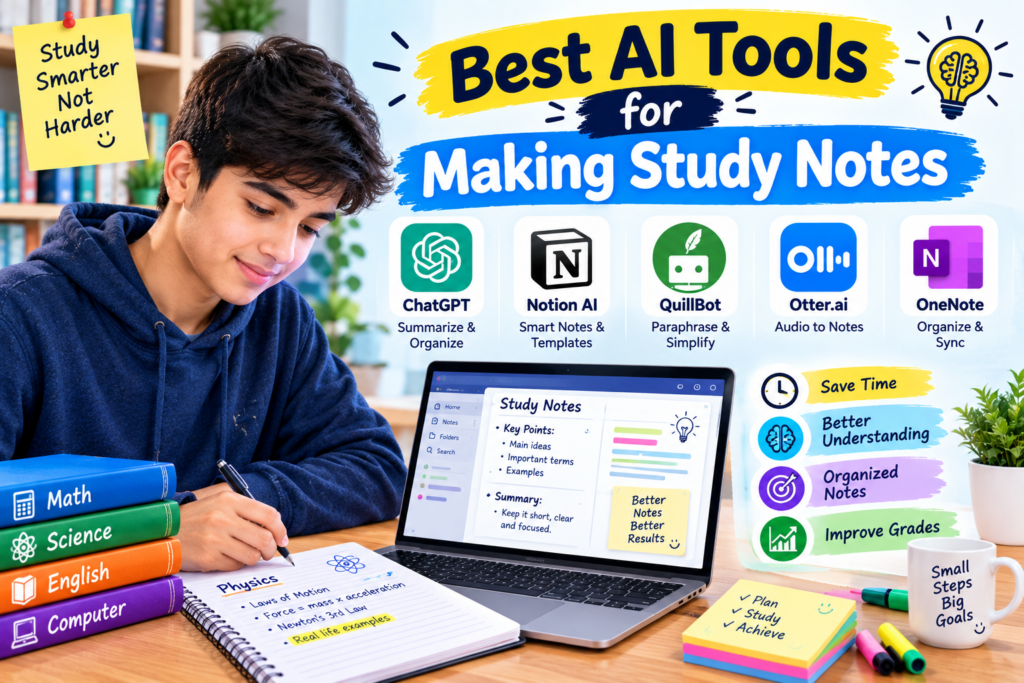
In this guide, we will look at the best AI tools for making study notes in 2026, what each tool does well, which free options are worth trying, and how to build a note-taking routine that actually helps you learn.
What Are AI Tools for Making Study Notes?
AI note-taking tools use artificial intelligence to help organize and process learning materials.
Depending on the application, you can use them to summarize textbook chapters, organize lecture notes, extract important concepts from documents, generate flashcards, or create questions for revision.
For example, imagine you have a 25-page PDF about computer networks. Reading the entire document is important, but you might also want a shorter revision guide covering the main concepts, definitions, and examples.
An AI tool can help prepare that guide. You can then compare it with the original document, correct mistakes, and add details your teacher emphasized.
The best approach is to use AI for the time-consuming parts of note preparation while keeping yourself involved in the learning process.
1. Google NotebookLM — Best for Notes From PDFs and Study Materials
<text color=”secondary” size=”sm”>Best for: Textbooks, lecture slides, research documents, and exam revision</text>
<AsyncImage query=”Google NotebookLM notebook sources study guide interface screenshot” aspectRatio=”16:9″ width=”100%”/>
NotebookLM is one of the most useful options to consider if your study materials are already saved as documents.
Rather than starting with a completely open-ended question, you can provide supported sources and ask questions about the material. Its responses can include citations that help you locate relevant sections in those sources.
This is particularly helpful when you are studying a specific chapter and do not want a general explanation that goes beyond your course material.
How students can use NotebookLM
Suppose you have three PDF documents for a biology examination. Each document covers a different topic, and you need to prepare a revision guide.
You can create a notebook, add your supported study documents, and ask for a structured set of notes.
For example, try this prompt:
“Create exam revision notes from the provided sources. Organize the material by topic, explain important terms in simple English, include the key processes, and identify points I should review in the original documents.”
After NotebookLM generates the notes, check the source references and compare the summary with your course material.
What makes it useful?
- Helps you work with your own study sources.
- Can organize information into topic-based notes.
- Supports questions about the supplied material.
- Can help prepare revision guides and study questions.
- Offers additional learning features, subject to current availability and plan limits.
One limitation: If your source documents contain unclear diagrams, complicated tables, or information that is difficult to interpret, the resulting notes may miss important details. Always review the original material.
Website: https://notebooklm.google.com/
2. ChatGPT — Best for Turning Difficult Topics Into Simple Notes
<text color=”secondary” size=”sm”>Best for: Simplified explanations, structured notes, and practice questions</text>
<AsyncImage query=”ChatGPT interface generating organized educational study notes headings bullet points” aspectRatio=”16:9″ width=”100%”/>
Sometimes the problem is not the length of your textbook. It is the language.
You might understand the basic idea of a lesson but struggle with technical terms or complicated explanations. ChatGPT can help turn difficult material into more approachable notes.
For example, if you are studying computer science, you can ask it to explain the difference between RAM and storage using everyday examples.
You can also request headings, bullet points, short definitions, and practice questions.
A practical note-making example
Imagine you are preparing notes on the water cycle.
Instead of asking for a long essay, use a prompt like this:
“Create study notes about the water cycle for a high school student. Use clear headings, short bullet points, simple definitions, and one example for each major process. Finish with five revision questions.”
This gives you a format that is easier to review than several long paragraphs.
A useful technique
Ask ChatGPT to separate your notes into three sections:
- Key concepts: The ideas you need to understand.
- Important details: Definitions, examples, and processes.
- Self-test: Questions you should answer without looking at your notes.
That last section matters. Reading a summary can make a topic feel familiar without proving that you can recall it independently.
What should you watch out for?
ChatGPT may add facts that are not included in your course material, and it can occasionally produce incorrect explanations.
If you are making notes for a specific examination, compare the result with your textbook and your teacher’s instructions.
The free version is a reasonable place to begin, although usage limits and available features can change.
Website: https://chatgpt.com/
3. Google Gemini — Best for Organizing Ideas and Explaining Lessons
<text color=”secondary” size=”sm”>Best for: Concept summaries, topic comparisons, and revision outlines</text>
<AsyncImage query=”Google Gemini AI assistant study notes educational topic summary interface” aspectRatio=”16:9″ width=”100%”/>
Google Gemini can help students turn a broad topic into a more organized set of notes.
It is particularly useful when you need to understand a subject before deciding which details belong in your final revision guide.
Suppose you are studying renewable and non-renewable energy. You can ask Gemini to explain both concepts, compare their characteristics, and organize the information in a table.
You might request columns for examples, advantages, disadvantages, and environmental impact.
This makes it easier to review the topic and identify differences that could appear in an examination.
How to get better results
Be specific about the type of notes you need.
For example:
“Prepare concise revision notes about photosynthesis for a secondary school student. Include the main stages, important terms, a simple explanation of the process, and common points students misunderstand.”
After receiving the notes, check the scientific details against your textbook.
Is Gemini free?
Gemini offers free access to certain features, but limits, supported capabilities, and account requirements can vary.
It is worth trying if you already use Google services or want another general-purpose assistant for studying.
Website: https://gemini.google.com/
4. Microsoft OneNote — Best for Organizing Class Notes
<text color=”secondary” size=”sm”>Best for: Digital notebooks, handwritten notes, and subject organization</text>
<AsyncImage query=”Microsoft OneNote digital notebook student organized subject sections notes laptop interface” aspectRatio=”16:9″ width=”100%”/>
Not every useful study tool needs to generate text with AI.
Microsoft OneNote is a digital notebook that helps you organize your notes into notebooks, sections, and pages. Depending on your device and setup, you can type notes, add images, write by hand, and collect information from different sources.
This is useful when your study materials are scattered across different files or notebooks.
How students can use OneNote
Create a notebook for a course, then make separate sections for individual subjects or chapters.
For example, a computer science notebook might contain sections for programming, databases, networking, and operating systems.
Within each section, keep your lecture notes, important definitions, examples, and questions that need clarification.
If AI tools help you summarize a lesson, you can place the reviewed notes in the appropriate section.
What about AI features?
Microsoft’s AI capabilities and integrations depend on the product, account, and subscription. Do not assume that every AI feature is included in a free OneNote setup.
The notebook itself is useful even if you do not use paid AI functionality.
Website: https://www.onenote.com/
5. Notion AI — Best for Structured Notes and Study Planning
<text color=”secondary” size=”sm”>Best for: Organized notes, research summaries, and managing study projects</text>
<AsyncImage query=”Notion student study dashboard notes database subjects tasks clean workspace interface” aspectRatio=”16:9″ width=”100%”/>
Notion is a workspace for notes, documents, databases, and task management. Its AI features can assist with writing, summarization, and organizing information, depending on the plan.
It can be useful for students who want to keep notes and assignment planning in one place.
For example, you could create a page for each subject and include sections for lecture notes, important concepts, upcoming tests, and topics you need to revise.
You can also maintain a list of unfinished chapters and mark each one as you review it.
A simple example
Imagine you have an examination in two weeks.
Create a study page with a list of chapters, the relevant notes, and a revision checklist. If an available AI feature helps summarize your material, review the summary and add it to the correct page.
This creates a reusable study system instead of a collection of disconnected summaries.
One limitation: Notion’s basic workspace and its AI features have different availability and pricing. Check the current plan before relying on AI functions.
Website: https://www.notion.so/
6. Otter.ai — Best for Lecture Transcription
<text color=”secondary” size=”sm”>Best for: Spoken lectures, meetings, and reviewing recorded explanations</text>
<AsyncImage query=”Otter.ai lecture transcription interface audio transcript speaker notes laptop” aspectRatio=”16:9″ width=”100%”/>
Some students find it easier to understand a teacher while listening than to write everything down at the same time.
A transcription tool can help convert supported audio into text, making it easier to review what was said after a lecture.
Otter.ai provides transcription and meeting-related features, with availability and usage limits depending on the plan.
How it can help with studying
Imagine you have permission to record a lecture and want to review the explanation later.
Where supported and permitted, a transcription tool can produce text from the recording. You can then review the transcript, identify important topics, and prepare your own notes.
For instance, you might organize the transcript into:
- Main topic discussed.
- Important definitions.
- Examples given by the teacher.
- Questions to ask in the next class.
You can then use a separate AI assistant to help organize those points into a revision guide.
Important limitations
Transcription tools can mishear technical vocabulary, accents, names, and numbers. Always check important details against the recording or your class materials.
Also, get the required permission before recording lectures or other people. Follow your institution’s privacy rules.
Website: https://otter.ai/
7. Quizlet — Best for Flashcards and Active Recall
<text color=”secondary” size=”sm”>Best for: Memorizing definitions, vocabulary, and key facts</text>
<AsyncImage query=”Quizlet digital flashcards study mode vocabulary definitions student laptop interface” aspectRatio=”16:9″ width=”100%”/>
Writing good notes is only one part of studying. You also need to remember the information when you are taking an examination.
Quizlet is a learning platform built around flashcards and other study activities. Its available study and AI-powered features can vary by plan.
How to turn notes into flashcards
Suppose you have a set of biology notes containing 30 important terms.
Instead of repeatedly reading the definitions, create flashcards with a question or term on one side and the explanation on the other.
For example:
Front: What is evaporation?
Back: The process in which a liquid changes into a gas.
Try answering each question before revealing the definition.
If a supported AI feature helps generate flashcards from your material, review the cards carefully. Automatic generation can introduce incorrect definitions or confusing questions.
Why this approach works well
Flashcards encourage you to retrieve information from memory rather than simply recognize it on a page.
They are particularly useful for vocabulary, formulas, historical dates, scientific definitions, and language learning.
Website: https://quizlet.com/
8. Anki — Best for Long-Term Revision
<text color=”secondary” size=”sm”>Best for: Spaced repetition and remembering information over time</text>
<AsyncImage query=”Anki flashcards spaced repetition desktop study application question answer interface” aspectRatio=”16:9″ width=”100%”/>
Anki is a flashcard application that uses spaced repetition to help you review information at intervals.
It is not primarily an AI note generator, but it works well alongside AI tools that help you prepare concise questions and answers from your study material.
A practical example
Suppose you are learning English vocabulary or memorizing biology definitions.
You can prepare a set of question-and-answer cards, then review them regularly. Anki schedules reviews based on your performance and its scheduling system.
Instead of rewriting the same definitions every day, you spend time recalling the information.
How to combine Anki with AI
First, create accurate notes using your textbook or a trusted study source.
Next, ask an AI assistant to suggest flashcard questions based on those notes. Review every question and answer before adding them to Anki.
Then practice the cards regularly and update any that are confusing or too complicated.
Anki’s core desktop software and its mobile options have different availability and pricing depending on the platform.
Website: https://apps.ankiweb.net/
9. Evernote — Best for Collecting and Organizing Study Information
<text color=”secondary” size=”sm”>Best for: Collecting notes, web research, and reference material</text>
<AsyncImage query=”Evernote note taking application student organized notes tags notebook desktop interface” aspectRatio=”16:9″ width=”100%”/>
Evernote is a note-taking application designed to help you collect and organize information.
It can be useful if your study process involves saving articles, writing notes, and keeping reference material together.
For example, if you are preparing a report about renewable energy, you can create a notebook for the project and save your own notes alongside relevant research links.
When available, AI-assisted features may help with summarization or editing, depending on your subscription.
What makes it useful?
A well-organized collection of notes is easier to review than information spread across browser tabs and separate documents.
Use clear titles, topic-based notebooks, and consistent tags to make your material easier to find.
One limitation: Evernote’s free-plan restrictions and AI capabilities can change. Compare the current plans before moving your entire study system to the platform.
Website: https://evernote.com/
10. Perplexity — Best for Research Notes With Sources
<text color=”secondary” size=”sm”>Best for: Research, factual summaries, and finding reference material</text>
<AsyncImage query=”Perplexity AI answer citations source links research summary interface laptop” aspectRatio=”16:9″ width=”100%”/>
Research assignments often require students to collect information from several sources before writing their notes.
Perplexity can help you explore a topic and discover source links alongside many of its answers.
Suppose you are researching the causes of climate change. You can ask for an overview, then open the cited reports and publications to check the evidence.
Once you have reviewed the material, organize your notes into headings such as causes, evidence, impacts, and possible solutions.
A useful research habit
Keep the original source beside every important fact or statistic in your notes.
For example, record the publication title, author or organization, date, and link where available.
This will save time when you prepare a bibliography and reduce the risk of accidentally using unsupported claims.
Remember that a citation link does not guarantee that the answer accurately represents the source. Open the original document and check the relevant passage.
Website: https://www.perplexity.ai/
Comparison: Which AI Note-Taking Tool Should You Choose?
The best tool depends on what you are trying to accomplish.
| Tool | Best use | Free access |
|---|---|---|
| NotebookLM | Notes from supplied documents | Available, with changing limits |
| ChatGPT | Simplifying topics and creating outlines | Available, with limits |
| Google Gemini | Explanations and topic summaries | Available, with limits |
| Microsoft OneNote | Organizing digital notes | Basic features available |
| Notion AI | Structured notes and planning | AI access may require a paid plan |
| Otter.ai | Audio transcription | Limited free access may be available |
| Quizlet | Flashcards and study practice | Some features available free |
| Anki | Spaced repetition | Core desktop version available free |
| Evernote | Collecting and organizing information | Plan-dependent limits |
| Perplexity | Research and source discovery | Available, with limits |
Pricing and features can change, so confirm current details on official websites. A tool being free to download does not necessarily mean all its AI features are free.
How to Make Better Study Notes With AI: A Step-by-Step Guide
You can build a useful study routine with just one or two tools. The following method works for many subjects.
Step 1: Collect your study materials
Start with your textbook, class notes, lecture slides, or teacher-provided documents.
Keep the original material available so you can verify any AI-generated summary.
If you are using recorded lectures, check that recording and transcription are permitted.
Step 2: Choose the right tool
Select the tool based on the material you have.
For PDF documents, try NotebookLM. For simplifying a difficult explanation, try ChatGPT or Gemini. For spoken lectures, consider a transcription tool when recording is permitted.
You do not need to upload the same material to every application.
Step 3: Ask for a specific note format
A vague request such as “Make notes” may produce long paragraphs that are not particularly useful for revision.
Instead, explain how you want the information organized.
Try this prompt:
“Create concise revision notes from the material I provide. Use clear headings, short bullet points, important definitions, examples, and a separate section for difficult concepts. Do not add unsupported facts. Identify any information that is unclear or needs verification.”
Adjust the language and detail to suit your level of study.
Step 4: Check the notes against the original
Read the generated notes while keeping your textbook or lecture slides open.
Check that the main definitions, formulas, dates, processes, and examples are correct.
Add any important information that the summary missed.
This step is particularly important for subjects in which one incorrect detail can change the meaning of an answer.
Step 5: Rewrite complicated explanations
If a definition is difficult to understand, ask for a simpler explanation.
Then write your own short version.
For example, you might understand a long explanation of computer memory better after rewriting it into two sentences and adding an example from everyday technology.
The purpose is to create notes that make sense to you, not simply notes that look professional.
Step 6: Create practice questions
Ask your chosen assistant to generate questions based on your reviewed notes.
Include a mixture of definitions, short-answer questions, and questions that require you to explain a process.
Try answering the questions without looking at the answers.
Step 7: Review your notes over time
Do not wait until the night before an examination to read everything again.
Schedule short revision sessions and use flashcards or practice questions to check your understanding.
Update the notes whenever you discover a misunderstanding or an important missing detail.
Common Mistakes to Avoid When Making AI Study Notes
1. Making the notes too short
A summary can be so brief that it becomes useless.
For example, a note that only says “Photosynthesis makes food” leaves out the process, conditions, and other details that may matter in an examination.
Ask for concise notes, not incomplete notes.
2. Trusting every generated fact
AI tools can make mistakes, misinterpret documents, or produce incorrect formulas and definitions.
Check important information against your textbook or trusted references.
3. Summarizing without understanding
Reading a generated summary can create the impression that you understand a topic.
Close the document and explain the main ideas from memory. If you cannot do that, return to the relevant section and study it again.
4. Using the same format for every subject
Mathematics often requires worked examples and formulas. History may require timelines and cause-and-effect relationships. Biology may benefit from diagrams and labeled processes.
Choose a note format that matches the subject.
5. Uploading private documents carelessly
Check privacy policies before sharing personal records, confidential materials, or documents containing other people’s information.
Use only material you have permission to upload.
6. Forgetting your teacher’s requirements
AI-generated notes may not follow your course syllabus or the specific topics your teacher emphasizes.
Use your course outline as the main guide and adjust your notes accordingly.
Frequently Asked Questions
What is the best free AI tool for making study notes?
NotebookLM is a strong option for working with your own study documents. ChatGPT and Gemini are useful for simplifying explanations and creating structured notes. The best choice depends on your materials, subject, and the current limits of each free plan.
Can AI create notes from a PDF?
Yes. Tools such as NotebookLM and some general-purpose AI assistants can work with supported PDF uploads. Availability, document limits, and supported file types depend on the tool and plan. Always compare the summary with the original PDF.
Can AI make notes from lectures?
Yes. Some transcription tools can convert supported audio into text, and AI assistants can help organize that text into study notes. Accuracy depends on audio quality, vocabulary, and the tool. Make sure you have permission to record the lecture.
Are AI-generated study notes accurate?
Not always. AI can omit details, misunderstand a passage, or produce incorrect information. Review important facts, definitions, formulas, and examples against reliable study materials.
Are AI study tools free?
Many offer free access, but limits vary. Some charge for advanced AI features, additional uploads, transcription time, or larger usage allowances. Check the official pricing page before choosing a tool.
Can AI study notes help me prepare for exams?
They can help you organize information and identify important concepts, but reading notes alone is not enough. Combine them with practice questions, flashcards, independent problem-solving, and regular revision.
Final Thoughts
The best AI tools for making study notes are the ones that help you turn scattered information into material you can understand and remember.
If you regularly study from PDFs, start with NotebookLM. If you need simple explanations, try ChatGPT or Gemini. If your main problem is keeping everything organized, consider OneNote or Notion. For revision, Quizlet and Anki can help you practice recalling important information.
Start with one tool and test it on a single chapter. Check the results, correct any mistakes, and see whether the notes make revision easier.
You do not need the most expensive subscription or the largest collection of applications to study effectively.
Good notes are accurate, organized, and easy to understand. AI can help you prepare them, but your own effort to review, question, and remember the material is what turns those notes into learning.