
Imagine sitting at your desk with three assignments to finish, a long chapter to understand, and an exam coming up tomorrow. You open your laptop, look at your notes, and realize that you have no idea where to begin.
This is where free AI tools can make a real difference.
Instead of spending hours searching for explanations, organizing notes, or correcting grammar, you can use AI to break difficult topics into smaller steps. Some tools help with research, others explain complicated subjects, and a few can even turn your study materials into practice questions.
The good news is that you do not need an expensive laptop or a paid subscription to get started. Many useful AI tools offer free versions that students can use for everyday school, college, and university work.
However, not every tool is equally useful. Some produce inaccurate answers, some have limited free features, and others work better for certain subjects than for general studying.
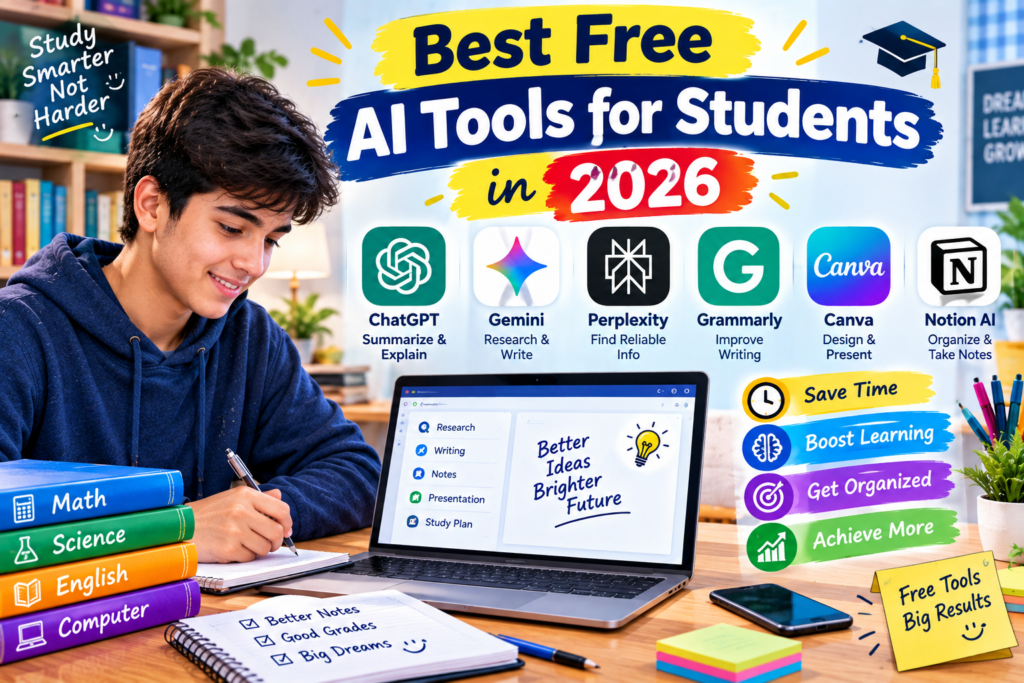
In this guide, we will explore the best free AI tools for students in 2026, how to use them effectively, and which mistakes you should avoid.
What Are AI Tools for Students?
AI tools for students are applications that use artificial intelligence to help with learning-related tasks. Depending on the tool, you can use them to understand difficult lessons, summarize reading materials, check writing, organize research, or practice for exams.
For example, imagine that you are studying computer science and cannot understand a programming concept. You can ask an AI assistant to explain it using a simple example. If you are writing an essay, another tool can help identify grammar mistakes or suggest a clearer structure.
These tools are most useful when they support your learning rather than replace it.
The goal is not simply to finish an assignment faster. It is to understand the subject, improve your skills, and spend less time struggling with repetitive tasks.
1. ChatGPT — Best for General Study Help
ChatGPT is one of the most versatile AI tools available to students. It can explain topics, generate practice questions, help with writing, and guide beginners through unfamiliar subjects.
Its free version provides access to useful AI features, although usage limits and available models can change.
Best for: Understanding lessons, brainstorming, homework guidance, and exam preparation.
How students can use ChatGPT
Suppose you are studying photosynthesis but find your textbook explanation difficult to follow. Instead of copying the paragraph into your notes, ask ChatGPT to explain the concept in simpler language.
You could use a prompt like this:
“Explain photosynthesis in simple English for a high school student. Use one everyday example, explain the important terms, and finish with five practice questions.”
This type of prompt gives you more useful results than simply typing “Explain photosynthesis.”
You can also use ChatGPT to:
- Break a large topic into smaller lessons.
- Generate multiple-choice practice questions.
- Explain mathematical steps.
- Suggest an outline for an essay.
- Review your notes and identify concepts that need more attention.
- Practice a foreign language through short conversations.
A practical tip
Ask ChatGPT to quiz you one question at a time. Try answering without looking at your notes, then ask it to explain what you missed.
This approach turns the tool into a study partner instead of a machine that simply gives you answers.
One limitation: ChatGPT can produce incorrect information or make mistakes in calculations. Verify important facts with your textbook, teacher, or trusted reference sources.
Website: https://chatgpt.com/
2. Google Gemini — Best for Research and Understanding Topics
Google Gemini is another useful AI assistant for students. It can help explain unfamiliar concepts, compare ideas, brainstorm projects, and summarize information.
It is especially convenient for students who already use Google services for their studies. Some features and integrations depend on the account, region, and current plan.
Best for: Research assistance, brainstorming, explanations, and study planning.
How to use Gemini for studying
Imagine you have been assigned a presentation about renewable energy. You know the topic is broad, but you are unsure which points to include.
You can ask Gemini to suggest a presentation structure covering solar energy, wind power, environmental benefits, limitations, and real-world applications.
After receiving the outline, investigate the individual points and confirm important claims through reliable sources.
Gemini can also help you compare two scientific concepts, create revision questions, or suggest examples for a classroom presentation.
What makes it useful?
One advantage of using a general AI assistant is that you can ask follow-up questions. If an explanation is confusing, request a simpler version or ask for a specific example.
For instance, instead of asking only for the meaning of machine learning, ask for an explanation using an example from a mobile phone app.
One limitation: An AI-generated research outline is not a substitute for verified research. Check the original sources before including facts in an academic assignment.
Website: https://gemini.google.com/
3. Microsoft Copilot — Best for Everyday Questions and Study Planning
Microsoft Copilot is an AI assistant that can help students understand topics, brainstorm ideas, and organize their work.
Its availability and free features can vary, but it is worth considering if you regularly use Windows or Microsoft services.
Best for: General questions, idea generation, explanations, and planning.
Useful ways to use Copilot
Let’s say you have a history exam next week and need to prepare several chapters.
You can ask Copilot to help you divide your revision into manageable sessions. You might also request a list of important concepts to review or practice questions based on the topics you provide.
Another useful approach is to ask it to compare two ideas in a table. This can make it easier to identify similarities and differences before an exam.
For example:
“Compare renewable and non-renewable energy sources in a table. Include examples, advantages, disadvantages, and a short explanation suitable for a school assignment.”
You can then use the comparison to build your own notes.
One limitation: Check the current free-plan limits and verify factual answers. Do not assume that every feature shown in a demonstration is included in the free version.
Website: https://copilot.microsoft.com/
4. Perplexity — Best for Finding Research Sources
When researching an assignment, finding a reliable answer is only part of the task. You also need to understand where the information came from.
Perplexity is an AI-powered search and answer tool that provides source links alongside many of its responses. This can make it useful when you need a starting point for research.
Best for: Exploring research topics, locating sources, and checking factual claims.
How to use Perplexity for an assignment
Suppose your teacher asks you to write about the effects of plastic pollution.
Start by asking Perplexity for an overview of the subject. Review the cited links and open the original articles or reports.
Next, look for information from credible organizations, universities, government departments, and scientific publications.
Read the relevant sections yourself and record the details you need for your assignment.
A simple research workflow is:
- Search for an overview of the topic.
- Open the sources attached to the answer.
- Check the publication date and the author’s credibility.
- Compare important claims across more than one source.
- Write your explanation in your own words and cite the original material.
Why this matters
A source link does not automatically mean that a claim is correct. The source might not fully support the statement, or the information may be outdated.
Use Perplexity to discover useful material, then evaluate that material before relying on it.
Website: https://www.perplexity.ai/
5. Grammarly — Best for Improving English Writing
Writing clearly is important whether you are preparing an essay, a project report, an email to a teacher, or a university application.
Grammarly helps identify grammar, spelling, punctuation, and clarity issues. Some AI writing features are available under paid plans, so students should check which functions are currently included for free.
Best for: Grammar checking, spelling, punctuation, and writing clarity.
A simple example
Imagine you write this sentence:
“Students is using technology for improve their learning.”
A grammar checker can help identify the problem and suggest a corrected version:
“Students are using technology to improve their learning.”
This kind of feedback can help you recognize patterns in your mistakes.
Grammarly is also useful for checking whether your writing is unnecessarily wordy or whether a sentence sounds awkward.
How to get the most from Grammarly
First, write your own draft. Then run it through the tool and review the suggestions individually.
Do not accept every change automatically. Sometimes a suggested rewrite changes your meaning or makes your writing sound less natural.
If English is not your first language, pay attention to repeated corrections. Learning why a sentence needs improvement will help you write better next time.
One limitation: Grammar software cannot guarantee that an essay is factually accurate, well researched, or academically appropriate.
Website: https://www.grammarly.com/
6. QuillBot — Best for Paraphrasing and Summarizing
QuillBot offers writing tools that can help students rephrase sentences, summarize text, and improve clarity. Its free features may have limits on word counts, modes, or usage.
Best for: Understanding long reading materials, improving sentence structure, and making notes more concise.
How students can use QuillBot
Suppose you are reading a long article for a class project. You have already read the material but want to turn your main observations into shorter revision notes.
A summarization tool may help you identify the central points. You can then compare the summary with the original text and correct any missing details.
The paraphrasing feature can also show you alternative ways to express an idea.
However, paraphrasing should not be treated as a way to disguise copied work. Changing a few words does not make someone else’s research your own.
If you use another author’s ideas, follow your institution’s citation rules, even when you explain those ideas in different words.
My recommended approach
Read the original material first, write down what you understood, and use QuillBot to check clarity or reduce unnecessary wording.
This helps you develop your own writing instead of depending on automatic rewrites.
Website: https://quillbot.com/
7. NotebookLM — Best for Studying Your Own Documents
NotebookLM is particularly useful when you already have study materials and want help working through them.
Depending on supported formats and current feature availability, you can add documents and other sources, then ask questions about the material you have provided.
Best for: Revision notes, textbook materials, document-based research, and exam preparation.
Why it can be helpful
Imagine that your teacher gives you three PDF documents for an upcoming examination. Reading them all at once feels overwhelming.
You can create a NotebookLM notebook and add the relevant study sources. Then ask questions about their content or request a structured overview.
For example:
“Create a revision guide from these sources. Organize the important concepts by topic, explain difficult terms in simple language, and suggest ten practice questions.”
The resulting guide can give you a starting point for revision.
You can also ask targeted questions about a particular topic rather than searching through every document manually.
A mistake to avoid
Do not assume that a summary contains every detail your teacher might test. Important definitions, exceptions, diagrams, and examples may need closer attention.
Compare the generated notes with your original documents before relying on them for an examination.
Also, avoid uploading private records, confidential classroom information, or documents you do not have permission to share.
Website: https://notebooklm.google.com/
8. Canva — Best for Presentations and School Projects
Canva is a design platform with AI-assisted features that can help students create presentations, posters, infographics, and other visual materials.
Some AI functions may have usage limits or require a paid plan, but its basic design capabilities make it a practical option for many student projects.
Best for: Presentations, posters, diagrams, infographics, and visual assignments.
How to use Canva for a school presentation
Let’s say you need to present a project about the solar system.
Start with a presentation template and organize the content into a logical sequence. You might create slides covering the planets, the Sun, interesting facts, and a short conclusion.
Use Canva’s design tools to arrange headings, images, diagrams, and short explanations.
If an AI feature helps generate an initial layout or suggest design ideas, treat that result as a draft. Review the text, replace unsuitable images, and make sure the information is accurate.
A useful design lesson
A presentation does not become better simply because it contains more animations, colors, or text.
Keep each slide focused on one main idea. Use readable fonts and relevant visuals, and explain the details verbally when presenting.
If you use external images, check their licensing and attribution requirements before including them in a published project.
Website: https://www.canva.com/
9. Khan Academy’s Khanmigo — Best for Guided Learning
Khan Academy is a learning platform with lessons, exercises, and educational resources. Khanmigo is its AI-powered learning assistant, designed to support learning through guided questions and explanations.
Its availability, eligibility requirements, and pricing differ by user type and location. Students should check the current terms rather than assume every Khanmigo feature is free.
Best for: Guided practice, learning concepts, and developing problem-solving skills.
How guided learning works
Suppose you are struggling with an algebra problem.
Instead of immediately asking for the final answer, you need an explanation of how to approach the problem.
A guided learning assistant can help you work through the reasoning, identify the next step, and understand why a particular method is useful.
This is particularly valuable in mathematics because recognizing a solution is not the same as being able to solve a similar problem independently.
Try this method
- Attempt the problem yourself.
- Ask for a hint instead of the answer.
- Work through the next step.
- Explain the method in your own words.
- Solve another problem without assistance.
This process helps you build skills that you can use during examinations.
Website: https://www.khanacademy.org/
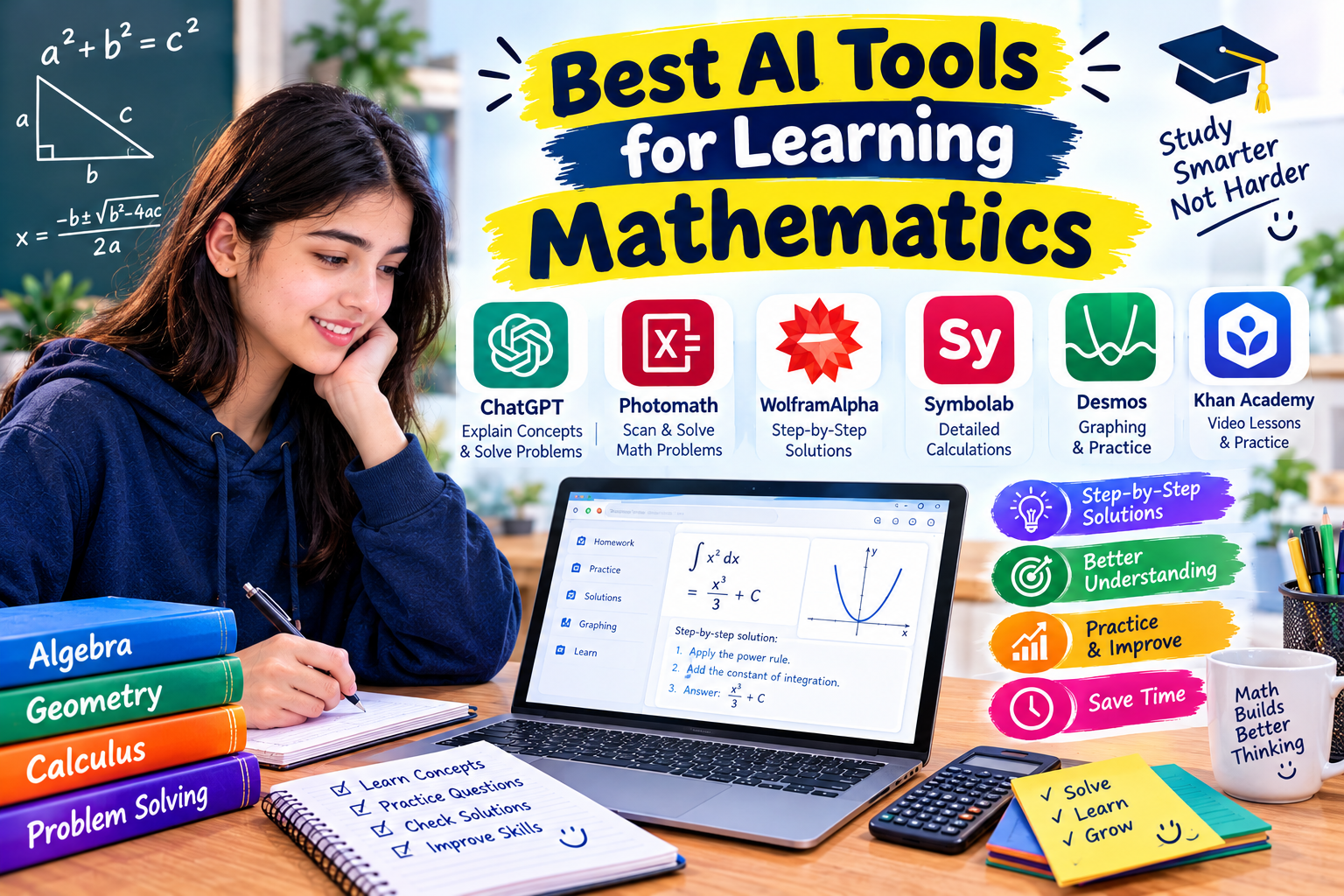
10. Wolfram Alpha — Best for Mathematics and Science
Wolfram Alpha is a computational knowledge tool that can solve many mathematical problems and provide information about scientific and technical subjects.
It is especially useful when you need to check a calculation or explore a mathematical expression. However, some step-by-step solutions and advanced features may require a paid subscription.
Best for: Mathematics, algebra, calculus, equations, and certain scientific calculations.
An example of using Wolfram Alpha
Imagine that you are learning quadratic equations and want to check your answer.
You can enter an expression such as:
x^2 - 5x + 6 = 0
The tool can help you determine the roots of the equation.
You should then work through the problem yourself and confirm why those roots are correct.
For this example, the equation factors into:
(x - 2)(x - 3) = 0
Therefore, the solutions are (x = 2) and (x = 3).
The value of a computational tool is not simply that it gives you a result. It can help you verify your work and identify errors in your reasoning.
When should you use it?
Use Wolfram Alpha when you need to check a calculation, explore an expression, or confirm a mathematical result.
For conceptual learning, combine it with your textbook, teacher’s explanation, or an educational resource that explains the underlying method.
Website: https://www.wolframalpha.com/
Comparison: Which Free AI Tool Should You Choose?
You do not need to sign up for every tool on this list. Start with the applications that solve your most frequent study problems.
| AI tool | Main use | Good starting point for |
|---|---|---|
| ChatGPT | Explanations and practice | General students |
| Google Gemini | Research and brainstorming | Projects and assignments |
| Microsoft Copilot | Questions and planning | Everyday study tasks |
| Perplexity | Finding research sources | Research assignments |
| Grammarly | Grammar and clarity | English writing |
| QuillBot | Summarizing and paraphrasing | Reading and writing |
| NotebookLM | Working with study documents | Revision and exam preparation |
| Canva | Visual design | Presentations and posters |
| Khanmigo | Guided learning | Concept-based practice |
| Wolfram Alpha | Mathematical calculations | Mathematics and science |
Important: “Free” does not always mean unlimited. Features, message limits, file uploads, and eligibility can change. Check each tool’s current pricing page before building your study routine around a particular feature.
How to Use Free AI Tools for Studying: A Step-by-Step Method
Knowing which tools exist is useful, but having a simple workflow makes them much more valuable.
Here is a practical method you can start using today.
Step 1: Identify the actual problem
Before opening an AI application, decide what you need help with.
Are you struggling to understand a chapter? Do you need to find research sources? Are you checking grammar, preparing for an exam, or designing a presentation?
Choosing the right task prevents you from wasting time switching between several applications.
Step 2: Start with one general AI assistant
Choose ChatGPT, Gemini, or Copilot for your first explanation or study plan.
Give the assistant enough context to understand your level and goal.
For example:
“I’m a college student studying introductory computer science. Explain what an algorithm is using a simple everyday example. Then give me three practice questions without showing their answers immediately.”
A clear prompt usually produces a more useful response than a short, vague request.
Step 3: Verify important information
If the answer includes dates, statistics, scientific claims, or quotations, check them against trustworthy sources.
For research projects, Perplexity can help you discover relevant material, while NotebookLM can help you work with documents you have collected.
Always open the original source before citing it.
Step 4: Test your understanding
After reading an explanation, close it and try to describe the concept yourself.
Ask the AI tool to create practice questions, but answer them before checking the solutions.
If you cannot explain an idea without assistance, return to the relevant lesson and study it again.
Step 5: Improve your own work
Write your assignment in your own words, then use tools such as Grammarly to identify writing problems.
For visual projects, Canva can help you create a clear layout.
Review every suggestion and make sure the final result reflects your understanding.
Step 6: Keep a simple study record
At the end of each session, write down three things:
- What you learned.
- What you still do not understand.
- What you need to revise next.
This small habit makes it easier to plan your next session and track your progress without adding another complicated application to your routine.
Best AI Study Tools for Different Subjects
Different subjects require different kinds of help. Here is a practical way to choose.
For English and writing
Start with ChatGPT for brainstorming and understanding writing concepts. Use Grammarly to check grammar and clarity, and consider QuillBot when you need help making your notes more concise.
Do not let these tools write every paragraph for you. Regular practice is how your writing skills improve.
For mathematics
Use ChatGPT to request step-by-step explanations and Wolfram Alpha to check calculations.
After reviewing a solution, try a similar problem without assistance. This is a useful way to find out whether you understand the method.
For science
Use Gemini or ChatGPT to simplify difficult concepts. NotebookLM can help you review your own study materials, while Wolfram Alpha can assist with certain calculations.
Always check scientific claims against your course materials or credible scientific references.
For research projects
Use Perplexity to discover relevant sources and NotebookLM to work through documents.
Record the original source for each important claim. This will make your research easier to verify and your references easier to prepare.
For presentations
Use ChatGPT or Gemini to brainstorm a structure, then create your slides in Canva.
Keep the main points concise and use accurate, relevant images. A presentation should help your audience understand the subject, not overwhelm them with information.
Common Mistakes Students Should Avoid When Using AI
AI tools can be helpful, but a few habits can make them much less effective.
1. Copying answers without understanding them
An answer might look impressive while containing errors or missing important details.
Instead of copying it directly, use it to understand the subject and create your own explanation.
2. Trusting every answer
AI assistants can produce convincing but incorrect information. Even a response with references can contain mistakes.
Check important claims, especially in academic research and technical subjects.
3. Using too many tools at once
Signing up for ten different services does not automatically improve your study routine.
Start with one general assistant and add a specialized tool only when you have a clear reason to use it.
4. Ignoring your school’s academic rules
Some teachers allow AI for brainstorming but prohibit AI-generated answers in submitted work.
Read your institution’s policies and disclose AI assistance when required. Never submit work in a way that misrepresents what you actually did.
5. Uploading private information
Avoid sharing passwords, identification documents, personal records, or confidential school materials with AI services.
Check the privacy settings and terms of any application before uploading your files.
6. Depending on AI during every study session
If you always ask a tool to explain a problem before attempting it yourself, you may miss opportunities to develop independent thinking.
Try the task first. Then use AI for hints, feedback, or clarification.
Are Free AI Tools Safe for Students?
Most established AI tools can be useful when you understand their limitations and use them carefully.
However, students should take a few precautions.
First, use official websites rather than unfamiliar pages that imitate popular services. Second, review privacy policies before sharing personal information. Third, remember that AI-generated explanations are not guaranteed to be accurate.
For younger students, parental guidance may be appropriate when creating accounts or using services with age restrictions.
It is also important to understand that AI-generated text is not automatically original research. If you use another person’s ideas, data, or wording, follow the relevant citation rules.
The safest approach is to treat AI as an educational assistant while remaining responsible for your own work.
Frequently Asked Questions
Which is the best free AI tool for students in 2026?
ChatGPT is a strong starting point for general study help because it supports explanations, brainstorming, and practice questions. However, the best choice depends on your needs. Perplexity is useful for discovering research sources, Grammarly helps with writing, and Wolfram Alpha is useful for mathematical calculations.
Can students use AI tools without paying?
Yes. Many AI services offer free plans, although their available features and usage limits vary. You can begin with free versions and upgrade only if you genuinely need additional features.
Can AI tools help me prepare for exams?
Yes. You can use them to create revision schedules, generate practice questions, explain difficult concepts, and test your understanding. For the best results, combine AI-assisted revision with your textbook, class notes, and independent practice.
Are AI-generated assignments allowed in schools and universities?
That depends on your institution’s rules and your teacher’s instructions. Some allow limited AI assistance, while others restrict generated content. Always check the relevant policy before using AI in submitted work.
Do I need a powerful computer to use AI tools?
Usually, no. Most of the services mentioned in this article are accessible through a web browser, so a standard laptop with a reliable internet connection is often sufficient. Some features may work differently on mobile devices or require specific system capabilities.
Can AI replace teachers?
AI can explain concepts and provide additional practice, but it cannot fully replace a teacher’s judgment, classroom guidance, or knowledge of your learning needs. It works best as a supplement to teaching rather than a replacement.
Final Thoughts
The best free AI tools for students in 2026 are the ones that solve real problems in your daily study routine.
If you are just getting started, choose ChatGPT for general explanations, Perplexity for discovering research sources, and Grammarly for checking your writing. Add NotebookLM if you regularly study from documents, or Wolfram Alpha if mathematics is a major part of your coursework.
You do not need to use every application listed here. Begin with one tool, learn how to ask better questions, and check the information it provides.
Most importantly, keep doing the thinking yourself. Use AI to understand difficult lessons, improve your notes, and practice skills you will need later.
A useful study tool should leave you better prepared to answer a question on your own, even when your laptop is closed and the AI assistant is no longer there to help.