
Have you ever spent half an hour trying to solve a maths problem, only to discover that you made a tiny mistake in the second step? You check your notebook, try again, and somehow end up with a different answer.
It can be frustrating, especially when an exam is approaching and you still have several topics to revise.
The good news is that learning mathematics no longer has to mean getting stuck on a question until your next class. AI-powered learning tools, online maths tutors, and interactive calculators can help you understand difficult concepts, check your working, and practise at your own pace.
However, there is a catch: getting an answer from a tool does not automatically mean you understand the maths behind it.
The most useful tools are the ones that help you learn the method, recognise your mistakes, and solve similar questions independently.
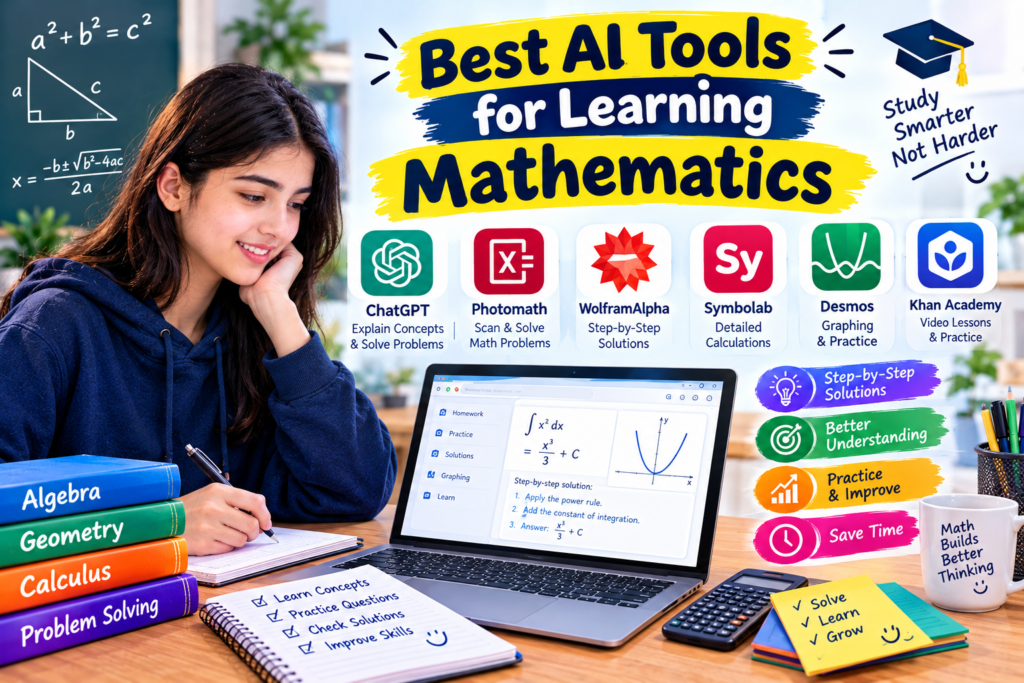
In this guide, we will explore the best AI tools for learning mathematics, their useful features, free options, limitations, and practical ways to use them for school, college, and independent study.
Why Are Students Using AI Tools to Learn Mathematics?
Mathematics is a subject where one small misunderstanding can create problems later.
For example, if you are not comfortable working with fractions, algebra may become difficult. If you do not understand basic algebra, equations and functions can feel even more confusing.
Traditional textbooks are useful, but sometimes you need a different explanation or another example.
This is where online maths tools can help. Depending on the platform, they can provide step-by-step solutions, explain mathematical rules, generate practice questions, or show how an equation looks on a graph.
Students can use these tools to:
- Understand difficult maths concepts in simple language.
- Check homework after attempting it independently.
- Practise algebra, geometry, trigonometry, and calculus.
- Find mistakes in their calculations.
- Visualise graphs and mathematical relationships.
- Review topics before tests and examinations.
You do not need to subscribe to every service. Start with a tool that addresses your specific problem and use its free features where available.
1. Photomath — Best for Step-by-Step Maths Solutions
<text color=”secondary” size=”sm”>Best for: School maths and homework practice</text>
Photomath is a maths-solving app that lets students scan a question using their phone camera or enter a problem manually. It then provides a solution and, for supported problems, shows the working steps.
This can be particularly helpful when you understand the question but cannot work out how your teacher reached the answer.
What makes Photomath useful?
Imagine you are practising algebra and get stuck on an equation. You have tried moving the numbers around, but your answer does not match the one in your textbook.
You can scan the question and examine the solution to see which operation should happen first.
Photomath supports a range of topics, including arithmetic, algebra, geometry, trigonometry, and calculus. The exact explanations available depend on the problem and the features included in your plan.
How to use Photomath effectively
- Install Photomath from your phone’s official app store.
- Open the app and scan the complete question.
- Check that the app has recognised the numbers and symbols correctly.
- Read the solution one step at a time.
- Close the app and solve a similar question yourself.
That final step is important. If you only look at the answer, you may forget the method when you face a similar question in an examination.
Is Photomath free?
Photomath offers basic solving features without charge, while some additional explanations and learning features require a paid plan. Check its current pricing before subscribing.
My recommendation: Use Photomath to understand your mistakes, not simply to complete a homework sheet.
Website: https://www.photomath.com/
2. Khan Academy — Best for Learning Maths From the Beginning
<text color=”secondary” size=”sm”>Best for: Building strong mathematical foundations</text>
Sometimes you do not need an answer solver. You need to understand the chapter itself.
Khan Academy is a free educational platform with lessons and practice exercises covering a wide range of mathematics topics. It is especially useful for students who want to review a concept before moving on to more difficult work.
Why Khan Academy is worth trying
Suppose you are studying algebra but keep making mistakes with fractions. Instead of searching for a solution to every algebra question, you can revisit the fraction lessons and practise until the rules become clearer.
This approach helps address the original problem rather than temporarily fixing one question.
Khan Academy covers topics such as arithmetic, pre-algebra, algebra, geometry, statistics, and calculus.
How to get started
- Visit Khan Academy and create an account if you want to track your progress.
- Find the topic you are currently studying.
- Watch a lesson or read the explanation.
- Complete the practice exercises.
- Review incorrect answers and revisit the relevant lesson.
- Move to the next topic when you are comfortable with the current one.
Khan Academy also offers Khanmigo, an AI-powered learning assistant. Its availability, pricing, and eligibility requirements differ from the core learning platform, so check the official website for current access information.
My recommendation: If you regularly struggle with maths, start here before relying heavily on answer-solving apps.
Website: https://www.khanacademy.org/
3. ChatGPT — Best for Understanding Difficult Concepts
<text color=”secondary” size=”sm”>Best for: Interactive explanations and extra practice</text>
ChatGPT can help explain maths concepts, walk through worked examples, generate practice questions, and review your attempted solutions.
Its biggest advantage is that you can ask follow-up questions whenever an explanation is unclear.
For example, if you are learning fractions and do not understand why two fractions need a common denominator, you can ask for a simpler explanation and another example.
How to use ChatGPT as a maths tutor
The quality of the response often depends on the question you ask.
Instead of writing:
“Give me the answer to this algebra question.”
Try a prompt like this:
“Teach me how to solve linear equations in simple English. Show one worked example, explain why each step is necessary, and then give me three practice questions. Do not reveal the answers until I try them.”
This encourages you to participate in the learning process.
You can also ask questions such as:
- Can you explain this step in simpler words?
- Where did my calculation go wrong?
- Can you give me another example at the same difficulty level?
- Can you show me a different method?
- Can you check my answer without solving the whole question for me?
A practical study example
Suppose you are trying to solve:
[
2x+6=18
]
You can ask ChatGPT to explain why subtracting 6 from both sides keeps the equation balanced.
After understanding that step, you can try another equation without assistance.
What should you watch out for?
ChatGPT can make calculation mistakes or misunderstand a mathematical expression. Its explanation may also skip a step you need.
Check important answers by substituting them into the original equation or comparing them with a reliable maths resource.
My recommendation: Use ChatGPT when you need a concept explained differently or want more practice questions.
Website: https://chatgpt.com/
4. Wolfram|Alpha — Best for Advanced Maths
<text color=”secondary” size=”sm”>Best for: Complex calculations and mathematical analysis</text>
Wolfram|Alpha is a computational knowledge tool that can solve and analyse mathematical expressions. It is particularly useful for students studying advanced algebra, functions, calculus, and related subjects.
Unlike a general conversational assistant, it is designed to process mathematical and scientific queries.
What can Wolfram|Alpha help with?
Depending on the query, you can use it to explore:
- Algebraic expressions and equations.
- Functions and graphs.
- Derivatives and integrals.
- Selected statistics problems.
- Mathematical calculations and properties.
Imagine you are studying a function and want to investigate its graph or calculate a derivative. Wolfram|Alpha can help you obtain mathematical results and explore related information.
How to use it
- Open the Wolfram|Alpha website.
- Enter the equation or expression clearly.
- Review the result and any available graph or explanation.
- Compare the output with your notes or textbook.
- If you do not understand the method, find a lesson that explains the underlying concept.
Is it suitable for beginners?
It can be useful, but beginners may find some results difficult to interpret. Some detailed step-by-step features may also require paid access.
If you are just learning basic arithmetic, a simpler learning platform may be a better starting point.
My recommendation: Consider Wolfram|Alpha when your maths coursework involves more advanced calculations.
Website: https://www.wolframalpha.com/
5. Symbolab — Best for Algebra and Calculus Practice
<text color=”secondary” size=”sm”>Best for: Worked solutions and checking mathematical steps</text>
Symbolab is a maths solver that can help with algebra, equations, inequalities, derivatives, integrals, and other mathematical topics.
It is particularly useful when you have already attempted a problem and want to compare your working with a generated solution.
Why students may find it helpful
Imagine you are simplifying an expression involving brackets and several variables. You understand the basic rules, but you are unsure which step caused your answer to go wrong.
A worked solution can help you compare each line and identify where your method differs.
This is more useful than looking at a final answer because you can focus on the process.
How to use Symbolab
- Open Symbolab in your browser.
- Enter the equation or expression.
- Review the result and any available working steps.
- Compare the steps with your own attempt.
- Identify the first line where your working differs.
- Try another question using the same method.
Free features and limitations
Symbolab offers some free solving features, while certain step-by-step explanations and advanced functions may require a subscription.
Check the current plan before relying on a particular feature.
My recommendation: Use Symbolab to investigate errors in algebra and calculus, especially after you have tried solving a question yourself.
Website: https://www.symbolab.com/
6. Microsoft Math Solver — Best for Browser-Based Maths Help
<text color=”secondary” size=”sm”>Best for: Entering equations and exploring solutions online</text>
Microsoft Math Solver has provided tools for entering mathematical problems and exploring their solutions, graphs, and related learning resources.
It has supported topics such as algebra, trigonometry, and calculus. Because online services can change, check the official website to confirm which features are currently available.
Why it may be useful
If you study on a laptop, a browser-based solver can be convenient. You can enter an equation, review the result, and use available resources without switching between several apps.
For example, you might enter a quadratic equation to explore its solutions and graph.
How to use it
- Open the official Microsoft Math Solver website.
- Enter the equation or use a supported input method.
- Review the solution and any available graph.
- Compare the result with your class method.
- Try solving a similar question independently.
Remember that a calculator-style result is only part of learning. You should still understand why the method works and when it can be used.
My recommendation: Check this option if you prefer using maths tools directly in your browser.
Website: https://mathsolver.microsoft.com/
7. GeoGebra — Best for Geometry and Graphs
<text color=”secondary” size=”sm”>Best for: Visual and interactive mathematics</text>
Some mathematical ideas are easier to understand when you can see them rather than simply read about them.
GeoGebra provides interactive tools for graphing, geometry, algebra, and related mathematical topics. Although it is primarily a maths visualisation platform rather than a general-purpose AI tutor, it can be an excellent companion for learning.
How GeoGebra makes maths easier to explore
Suppose you are learning about straight-line graphs. Your textbook explains slope and intercept, but you cannot picture how changing the equation affects the line.
An interactive graphing tool lets you experiment with the values and observe what changes.
This can help you connect the equation with its visual meaning.
How to get started
- Open GeoGebra.
- Choose a graphing or geometry tool.
- Enter an equation or create a simple construction.
- Change one value at a time.
- Observe how the graph or shape changes.
- Write down what you learned and compare it with your textbook.
When should you use it?
GeoGebra is particularly helpful for functions, geometry, transformations, and graph interpretation.
My recommendation: Use GeoGebra when a diagram or graph would make a difficult concept easier to understand.
Website: https://www.geogebra.org/
8. Desmos — Best for Exploring Mathematical Graphs
<text color=”secondary” size=”sm”>Best for: Functions, equations, and visual problem-solving</text>
Desmos is an interactive graphing platform that allows students to enter equations and see their graphs. It is useful for exploring how mathematical relationships behave.
For example, you can compare two linear equations and observe where their graphs intersect. This gives you a visual way to understand the solution to a system of equations.
How to use Desmos for learning
- Open the Desmos Graphing Calculator.
- Enter a mathematical equation.
- Observe the graph.
- Add a second equation if you want to compare relationships.
- Change the values and examine the effect.
- Explain what you observe in your own words.
Desmos is not primarily an AI answer generator, but it is a valuable addition to an AI-supported maths study routine.
Its basic graphing tools are available online, making it a useful option for students who want to learn through experimentation.
My recommendation: Use Desmos when you need to understand what an equation looks like or how changing its values affects a graph.
Website: https://www.desmos.com/calculator
Quick Comparison: Which Maths Tool Should You Choose?
| Tool | Main strength | Suitable for |
|---|---|---|
| Photomath | Scanning and worked solutions | School homework |
| Khan Academy | Lessons and practice exercises | Learning fundamentals |
| ChatGPT | Explanations and interactive practice | Understanding concepts |
| Wolfram|Alpha | Mathematical computation | Advanced maths |
| Symbolab | Step-by-step mathematical solving | Algebra and calculus |
| Microsoft Math Solver | Browser-based solving resources | General maths practice |
| GeoGebra | Interactive mathematics | Geometry and graphs |
| Desmos | Visual graphing | Functions and equations |
The best choice depends on your needs. If you are learning a chapter from scratch, start with Khan Academy. If you need a different explanation, try ChatGPT. If you want to inspect a solution, consider Photomath or Symbolab. For graphs, GeoGebra and Desmos are useful options.
Free access varies by platform, and some advanced features may require payment.
How to Use AI Tools to Learn Mathematics Step by Step
Having access to several tools is helpful, but you need a sensible routine to get the most out of them.
Step 1: Identify the topic you find difficult
Be specific about what you do not understand.
Instead of saying, “I cannot do algebra,” identify the exact issue. You might struggle with negative numbers, fractions, brackets, or rearranging equations.
A smaller problem is easier to address.
Step 2: Attempt the question independently
Before opening an app, try solving the problem using your notes.
Write down the steps you understand, even if you cannot finish the question. This gives you something to compare with the explanation.
Step 3: Select a suitable tool
Choose a resource based on the type of help you need.
- For a lesson, try Khan Academy.
- For a conversational explanation, try ChatGPT.
- For a worked solution, try Photomath or Symbolab.
- For advanced calculations, try Wolfram|Alpha.
- For graphs, use GeoGebra or Desmos.
You do not need to open every tool for every question.
Step 4: Ask about the step you do not understand
If most of the solution makes sense but one line is confusing, focus on that line.
For example, ask: “Why do we divide both sides by 3 here?”
This is often more helpful than requesting the entire solution again.
Step 5: Practise without assistance
Once you understand the method, close the tool and solve a similar problem yourself.
If you can explain the steps and obtain the correct answer independently, you are making progress.
If not, review the concept and try another example.
Step 6: Record repeated mistakes
Keep a notebook containing the mistakes you frequently make and the rules that help you correct them.
For example:
- Mistake: Forgetting to perform the same operation on both sides of an equation.
- Lesson: An equation remains balanced when the same operation is applied to both sides.
Reviewing these notes can be especially helpful before an examination.
A Practical Example: Solving a Linear Equation
Let’s use a simple example to see how a maths tool can support your learning.
Suppose you need to solve:
[
3x+4=19
]
First, subtract 4 from both sides:
[
3x=19-4
]
This gives:
[
3x=15
]
Now divide both sides by 3:
[
x=\frac{15}{3}=5
]
The answer is (x=5).
You can check the result by putting 5 back into the original equation:
[
3(5)+4=15+4=19
]
The equation is balanced, so the answer is correct.
Now try this question without assistance:
[
4x+6=22
]
If you follow the same method, you should be able to find the answer yourself.
You could use ChatGPT to understand why the operations work, then use Photomath or Symbolab to compare your working. The goal is to learn the method, not simply copy the result.
Common Mistakes to Avoid When Using AI for Maths
1. Copying answers without understanding them
A correct answer may help you finish one exercise, but it will not necessarily help you solve the next question.
Read the explanation and make sure you understand why each step is necessary.
2. Assuming every AI answer is correct
AI tools can make errors or misunderstand mathematical notation. Check the result by substituting it into the original equation or comparing it with a trusted educational resource.
3. Using too many tools at once
Jumping between several apps can make studying more confusing. Choose one main learning resource and use another tool only when you need a different type of help.
4. Ignoring the basics
Advanced maths depends on foundational skills. If algebra feels difficult because fractions are confusing, review fractions before moving to more complicated equations.
5. Forgetting to practise independently
Reading a solution can make a topic feel easy, but that feeling does not always translate into independent problem-solving.
Always attempt a similar question without help.
6. Paying for features you do not need
Many students can make progress with free lessons, basic calculators, and available free features. Before purchasing a subscription, check whether the specific feature you need is included.
Final Thoughts
The best AI tools for learning mathematics are not necessarily the ones that produce answers the fastest. They are the ones that help you understand a concept, recognise a mistake, and solve the next problem with greater independence.
Photomath and Symbolab can help you review worked solutions. Khan Academy provides free lessons and practice. ChatGPT can explain concepts conversationally, while Wolfram|Alpha is useful for advanced calculations. GeoGebra and Desmos make graphs and mathematical relationships easier to explore.
Start with one tool that matches your current difficulty. Try a question, review your mistakes, and practise the method without assistance.
You do not need to become an expert overnight. Consistent practice and clear explanations can make difficult topics more manageable over time.
The real achievement is not getting an answer from an app. It is reaching the point where you can solve a similar problem on your own.