
Have you ever looked at a website, a mobile app, or a video game and wondered how it was made? Maybe you want to build your own website, create a simple game, or learn a skill that could help with future studies and career opportunities.
The first challenge is figuring out where to begin. Search for coding tutorials online, and you will find hundreds of courses, programming languages, videos, and websites. Some promise quick results, while others introduce complicated concepts before you understand the basics.
Here is the good news: you do not need to spend money on an expensive course to start learning programming. Several websites offer free lessons, interactive exercises, and projects that help beginners understand how code works.
In this guide, we will explore the best free websites to learn coding for beginners, what each platform teaches, and how to choose the right one for your goals. Whether you are a student using a laptop at home or someone learning programming for the first time, you can find a suitable place to start.
What Should Beginners Look for in a Coding Website?
Before choosing a platform, think about how you learn best.
Some people prefer short lessons with immediate exercises. Others learn more comfortably by watching videos or following a structured course. If your goal is to build websites, you will also need opportunities to practise writing actual code.
A useful beginner-friendly coding website should offer several of these features:
- Clear explanations: Lessons should introduce new concepts without assuming you already understand programming.
- Practical exercises: You should have opportunities to write code, test it, and correct mistakes.
- A structured learning path: Knowing what to learn next prevents you from jumping between unrelated topics.
- Real projects: Building something useful helps you apply what you have learned.
- Free learning materials: Check which lessons, exercises, and certificates are available without payment.
- Beginner support: Documentation, discussion communities, or hints can help when you get stuck.
You do not need a website that does everything. The best choice is the one that helps you practise consistently.
1. freeCodeCamp — Best Overall for Learning by Building Projects
<AsyncImage query=”freeCodeCamp interactive coding curriculum lessons project challenges website screenshot” aspectRatio=”16:9″ width=”100%” />
Best for: Beginners who want structured lessons, hands-on practice, and projects.
freeCodeCamp is an excellent starting point if you want to learn programming without paying for a course. It provides a broad curriculum covering web development, JavaScript, Python, databases, and other technical subjects.
Rather than relying only on videos, the platform encourages you to complete coding challenges and build projects as you progress. Its core curriculum and certifications are available free of charge. <Cite refs={[“turn145266search12″,”turn145266search17”]}/>
What can you learn?
Depending on the learning path you choose, you can study:
- HTML for structuring web pages
- CSS for styling websites
- JavaScript for interactive features
- Python programming
- SQL and database fundamentals
- Other web development and programming topics
For example, after learning basic HTML and CSS, you could build a personal webpage containing your name, a short introduction, and links to your favourite educational resources.
Later, JavaScript can help you add interactive features, such as a button that changes the page’s content.
Why beginners may like it
The combination of lessons, coding challenges, and projects makes it easier to move from reading about programming to actually writing code.
You can also work through the curriculum at your own pace instead of following a fixed classroom schedule.
What should you know before starting?
The full curriculum is extensive. Trying to complete every course at once can become overwhelming, especially if you are learning programming alongside school.
Start with one learning path, complete its exercises, and move forward gradually.
My recommendation: If you want one main website for a longer coding journey, begin with freeCodeCamp and focus on its introductory material before exploring advanced topics.
2. W3Schools — Best for Simple Tutorials and Quick Examples
<AsyncImage query=”W3Schools HTML tutorial code editor live preview browser screenshot” aspectRatio=”16:9″ width=”100%” />
Best for: Students who want straightforward explanations and examples they can try immediately.
W3Schools is a popular educational website with tutorials covering web development and several programming languages.
Its lessons often include small examples that you can edit and run in your browser. This is helpful when you want to see what a particular piece of code does without installing a development environment first. The site provides free tutorials and examples, although some additional services are paid. <Cite refs={[“turn145266search0″,”turn145266search4”]}/>
What can you learn?
W3Schools covers topics including:
- HTML and CSS
- JavaScript
- Python
- SQL
- Java and C++
- PHP and other web technologies
If you are starting from zero, HTML is a sensible first step if you want to make websites.
For example, you might encounter this basic HTML code:
<h1>My First Webpage</h1>
<p>I am learning to code.</p>
The first line creates a main heading, while the second creates a paragraph.
Changing the words and running the example helps you understand how the code affects what appears on a webpage.
Advantages
- Short, easy-to-follow tutorials
- Examples you can edit and run
- Many programming topics in one place
- Useful for looking up syntax when you forget something
- No account required to access the basic tutorials
Limitations
Because the lessons are divided into many topics, it is easy to jump between tutorials without following a complete learning plan.
Use the site as a structured tutorial resource or a reference, rather than opening random lessons every day.
My recommendation: W3Schools is especially useful for beginners who prefer learning one small concept at a time.
3. The Odin Project — Best for Learning Web Development Through Projects
<AsyncImage query=”The Odin Project free full stack web development curriculum lessons dashboard screenshot” aspectRatio=”16:9″ width=”100%” />
Best for: Learners who want a more structured route into web development.
The Odin Project provides a free, open curriculum focused on web development. Its lessons combine selected learning resources with practical projects, helping students develop skills by applying what they learn. <Cite refs={[“turn145266search1″,”turn145266search2”]}/>
What will you learn?
Its curriculum covers topics such as:
- HTML and CSS
- JavaScript
- Git and development tools
- Front-end development
- Back-end development
- Databases
- Frameworks and related technologies
The exact path depends on which curriculum you follow.
How does the learning process work?
Imagine you have already learned basic HTML and CSS. Instead of watching another tutorial about website design, you could use those skills to create a simple landing page.
After that, you might build a small interactive application and gradually explore more advanced development concepts.
The Odin Project encourages this kind of project-based learning.
Advantages
- Free curriculum
- Clear learning paths
- Practical projects
- Exposure to development tools
- A community where learners can seek support
Limitations
This platform expects you to spend time reading, practising, researching, and solving problems independently. It may feel demanding if you are looking for very short lessons with a hint for every exercise.
My recommendation: Choose The Odin Project if your main goal is to learn how websites and web applications are built, and you are comfortable putting in regular practice.
4. Harvard CS50 — Best for Understanding Computer Science
<AsyncImage query=”Harvard CS50 Introduction to Computer Science online course lecture programming interface” aspectRatio=”16:9″ width=”100%” />
Best for: Students who want to understand programming concepts, not just memorize code.
Harvard’s CS50x is an introductory computer science course available online through its OpenCourseWare materials. You do not need to be a Harvard student to study the course for free. <Cite refs={[“turn145266search5″,”turn145266search8”]}/>
The course introduces problem-solving, algorithms, programming, and the ways computers handle information.
What does CS50 teach?
The course covers a range of topics, including:
- Programming fundamentals
- C
- Algorithms and data structures
- Python
- SQL
- HTML, CSS, and JavaScript
- Web application development
This broad approach helps you understand why programming works, rather than focusing only on the syntax of one language.
Is it suitable for complete beginners?
Yes, but expect to work through challenging material.
CS50 introduces concepts that may take time to understand. If a lesson feels difficult, pause the lecture, review the example, and try a smaller problem before moving forward.
You can also begin with the course’s introductory material and decide whether its teaching style suits you.
Advantages
- Free access to course materials
- Detailed lectures
- Problem-solving exercises
- Exposure to several programming concepts
- A useful introduction to computer science
Limitations
The course is more demanding than a collection of short beginner tutorials. It may not be the easiest first choice if you simply want to make your first webpage today.
My recommendation: Choose CS50 if you enjoy understanding how things work and want a stronger foundation in computer science.
5. MDN Web Docs — Best for Learning Web Development Properly
<AsyncImage query=”MDN Web Docs Learn web development HTML CSS JavaScript beginner tutorial page” aspectRatio=”16:9″ width=”100%” />
Best for: Beginners who want reliable explanations of web technologies.
Visit MDN Learn Web Development
MDN Web Docs provides a structured learning area covering the foundations of web development. Its beginner materials include environment setup, building a first website, HTML, CSS, JavaScript, and web standards. <Cite refs={[“turn689091search0″,”turn689091search1”]}/>
What makes MDN useful?
Suppose you are learning HTML and encounter a tag you do not understand. You can look it up in MDN to learn what it does, how to use it, and what to watch out for.
The site is also useful when you move beyond the basics and need to understand how a web feature behaves.
Topics you can explore
- HTML structure and elements
- CSS styling and layouts
- JavaScript fundamentals
- Forms and interactive web features
- Accessibility and web standards
- Development tools and best practices
Advantages
- Free educational documentation
- Structured learning materials
- Detailed technical explanations
- Useful examples and skill checks
- Helpful beyond the beginner stage
Limitations
Some pages read more like technical documentation than a casual lesson. If you are completely new to coding, the explanations may take longer to understand than an interactive tutorial.
One approach is to learn a concept through a beginner course, then use MDN to explore it in more detail.
My recommendation: Keep MDN bookmarked if you want to learn web development. It is particularly useful for checking details and developing a deeper understanding of HTML, CSS, and JavaScript.
6. Khan Academy — Best for Visual and Interactive Learning
<AsyncImage query=”Khan Academy computer programming JavaScript drawing animation interactive lesson interface” aspectRatio=”16:9″ width=”100%” />
Best for: Students who enjoy learning through guided examples, visual activities, and experiments.
Khan Academy offers programming and computer science learning materials, including JavaScript and web-related activities. Its computing resources also include an introductory computer science course using Python. <Cite refs={[“turn689091search15”]}/>
What can you learn?
Depending on the course, you can explore:
- Programming fundamentals
- Variables and functions
- Conditional statements and loops
- JavaScript drawings and animations
- Basic web development concepts
- Python fundamentals
Why is visual learning helpful?
Some programming ideas are easier to understand when you can see the result.
For example, a lesson that lets you change code and observe a drawing or animation can make it easier to understand how instructions affect the computer’s output.
This can be more engaging than reading a long explanation of variables or functions.
Advantages
- Free learning resources
- Visual programming examples
- Guided explanations
- Suitable for learning at your own pace
- Useful for students exploring programming concepts
Limitations
The experience differs from a full professional development environment. If you later want to build and deploy complete websites, you will need to practise with additional tools and resources.
My recommendation: Try Khan Academy if you want a gentler introduction to programming concepts before moving into larger projects.
7. Codecademy — Best for Interactive Coding Lessons
<AsyncImage query=”Codecademy interactive coding lesson editor beginner programming course website screenshot” aspectRatio=”16:9″ width=”100%” />
Best for: Beginners who want to write code while following guided lessons.
Codecademy is known for interactive programming lessons that allow learners to practise concepts as they progress.
It offers a free Basic plan alongside paid plans. However, not every course feature, project, or quiz is included in the free experience, so check the course listing before starting. <Cite refs={[“turn689091search5″,”turn689091search13”]}/>
What can you learn?
Free course options vary, but may include introductory lessons on topics such as:
- HTML
- CSS
- JavaScript
- Python
- SQL
- Other programming and technology subjects
Why beginners may like it
Instead of reading a tutorial and opening a separate code editor, you can often practise directly inside a lesson.
This reduces the amount of setup required when you are just getting started.
Advantages
- Interactive lessons
- Guided coding exercises
- Multiple programming topics
- Browser-based learning
- A free plan for exploring available courses
Limitations
Some features are reserved for paid subscribers. You should not assume that every course, project, or certificate is available at no cost.
My recommendation: Try a free introductory course and see whether the interactive format helps you stay focused. You can continue using other free resources if you reach a paid section.
8. Scratch — Best for Younger Beginners and First Coding Projects
<AsyncImage query=”MIT Scratch block based coding editor colorful sprite game project screenshot” aspectRatio=”16:9″ width=”100%” />
Best for: Younger students and anyone who wants to explore programming through games and animations.
Scratch is a free programming platform developed by the Lifelong Kindergarten Group at the MIT Media Lab. It lets users create interactive stories, games, and animations using visual programming blocks. It is designed especially for ages 8–16, although people of other ages can use it too. <Cite refs={[“turn689091search16”]}/>
How does Scratch work?
Traditional programming involves typing instructions in a language such as Python or JavaScript.
Scratch uses blocks that fit together, helping beginners understand how instructions, events, loops, and conditions work before worrying about exact spelling or punctuation.
For example, you could create a simple game where a character moves when the arrow keys are pressed.
You would connect the appropriate blocks to control the character’s movement and response.
Advantages
- Free to use
- Visual, block-based programming
- Great for creative projects
- Helps introduce programming logic
- Lets learners share projects with a community
Limitations
Scratch does not teach the same text-based programming workflow used in most professional development environments. Once you understand its basic concepts, you may want to move to Python, JavaScript, or another programming language.
My recommendation: Start with Scratch if typing code feels intimidating or you enjoy learning by making games and animations.
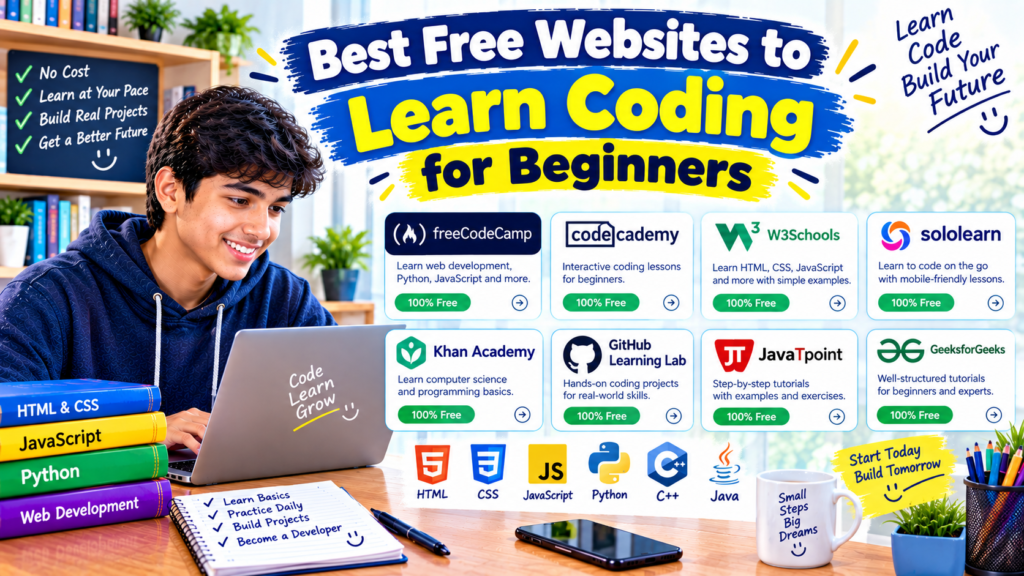
Quick Comparison: Which Coding Website Should You Choose?
| Website | Best for | Main learning style |
|---|---|---|
| freeCodeCamp | Broad beginner learning | Interactive challenges and projects |
| W3Schools | Quick explanations | Short tutorials and examples |
| The Odin Project | Web development | Structured curriculum and projects |
| Harvard CS50 | Computer science fundamentals | Lectures and problem sets |
| MDN Web Docs | Web development knowledge | Detailed tutorials and documentation |
| Khan Academy | Visual learning | Guided lessons and interactive activities |
| Codecademy | Guided practice | Interactive coding lessons |
| Scratch | Younger beginners | Visual, block-based programming |
The best option depends on your learning goals. You do not need to register for all eight websites. Choose one main course and keep one additional resource for questions or practice.
How to Start Learning Coding for Free: A Simple Step-by-Step Plan
If you are unsure where to begin, follow this beginner-friendly plan.
Step 1: Decide What You Want to Create
Start with a small goal rather than trying to learn every programming language.
For example:
- Want to build websites? Start with HTML and CSS.
- Want to explore general programming? Try Python.
- Want to create simple games and animations? Try Scratch.
- Want to understand computer science more deeply? Explore CS50.
Having a goal makes it easier to choose the right course.
Step 2: Pick One Main Learning Website
Choose a platform that matches your goal and learning style.
If you want to build websites, freeCodeCamp or The Odin Project is a reasonable starting point. If you prefer short explanations, try W3Schools. If you want a visual introduction, consider Khan Academy or Scratch.
Do not switch platforms every time a lesson becomes difficult. Sometimes the problem is simply that a new concept needs more practice.
Step 3: Practise While You Learn
Watching a lesson can help you understand an idea, but writing code helps you discover whether you can use it.
For example, after learning HTML, create a page containing:
- A heading with your name
- A short paragraph about your interests
- A list of favourite subjects
- A link to an educational website
This small project gives you a clear goal and lets you practise several basic HTML elements.
Step 4: Learn to Read Error Messages
Beginners often assume that a coding error means they are not good at programming. That is not true.
Errors are part of the learning process. A missing bracket, misspelled variable, or incorrect file name can stop a program from working.
When something fails, check the code carefully, compare it with the example, and change one thing at a time.
Step 5: Build a Small Project
Once you understand the basics, make something you can show to another person.
Ideas include:
- A personal introduction webpage
- A simple quiz
- A calculator
- A study timetable
- A basic number-guessing game
Your first project does not need to look professional. Its purpose is to help you combine what you have learned.
Step 6: Keep Your Work Organized
Save your code in clearly named files and folders. If you are building a website, learn how HTML, CSS, and JavaScript files work together.
Keeping projects organized will make it easier to return to old work and understand how you created it.
Common Mistakes Beginners Should Avoid
Trying to Learn Too Many Languages at Once
Learning Python, JavaScript, Java, C++, and several frameworks at the same time can make it difficult to understand the basics.
Choose one starting path and stay with it long enough to build something.
Watching Tutorials Without Writing Code
A lesson may feel easy when someone else demonstrates the solution. The real test comes when you try to write it yourself.
Pause the tutorial and recreate the example without looking at the answer.
Copying Code Without Understanding It
Copying an example can be useful for practice, but do not stop there. Change a value, modify the output, or add a small feature to see how the code behaves.
Giving Up When Code Does Not Work
Programming often involves testing different solutions. Read the error, check your assumptions, and try a small change instead of rewriting everything.
Expecting to Become an Expert in a Few Days
Learning programming takes time. The speed of your progress depends on your starting point, the time you practise, and the complexity of the skills you want to learn.
Focus on steady improvement rather than comparing your progress with someone else’s.
Ignoring Projects
Completing lessons is useful, but projects help you understand how individual concepts work together. Build small things throughout your learning journey instead of waiting until you have finished an entire course.
Do You Need a Powerful Computer to Learn Coding?
Not necessarily.
Many beginner lessons run in a web browser, so a basic laptop or desktop computer is often enough to get started. Sites such as W3Schools and many freeCodeCamp lessons let you practise without setting up a complicated development environment.
A computer with a keyboard is generally more comfortable for writing code than a phone. However, you can still read lessons and explore introductory activities on a mobile device.
If your computer is older, begin with browser-based lessons. You can install additional tools later when your projects require them.
Frequently Asked Questions
1. What is the best free website to learn coding for beginners?
freeCodeCamp is a strong general choice because it combines lessons, coding challenges, and projects. W3Schools is useful for quick explanations, while Scratch and Khan Academy may suit learners who prefer visual activities.
2. Can I learn coding online for free?
Yes. Websites such as freeCodeCamp, W3Schools, The Odin Project, MDN Web Docs, and Harvard CS50 provide free learning materials. Some other platforms offer a mix of free and paid features.
3. Which programming language should I learn first?
If you want to build websites, start with HTML and CSS, followed by JavaScript. If you want a general-purpose programming language for learning concepts and automating tasks, Python is a common starting choice.
4. Can I learn coding without installing software?
Yes. Many websites let you practise directly in a browser. This is convenient when you are new to programming or using a computer where you cannot install applications.
5. Are free coding courses enough to learn programming?
Free courses can provide a strong foundation. You will also need regular practice, independent problem-solving, and projects that help you apply what you have learned.
6. Do free coding websites provide certificates?
Some do, but the terms vary. freeCodeCamp offers free certifications for its qualifying curriculum, while other platforms may restrict certificates to paid plans or separate programs. Always check the specific course details.
7. How much time should I spend learning coding each day?
Start with a manageable routine. Even 20–30 minutes of focused practice can help you build consistency. If you have more time, use it to work on exercises or a small project rather than only watching lessons.
8. Can learning coding help with future career opportunities?
Programming can be useful for web development, software engineering, data analysis, automation, and many other technical areas. However, completing an online course alone does not guarantee a job. Building practical skills and projects is an important part of the process.
Final Thoughts
Learning coding does not have to start with an expensive course or complicated software. The websites in this guide provide different ways to explore programming, practise new skills, and build your first projects.
If you want a broad learning path, begin with freeCodeCamp. If you prefer short tutorials, try W3Schools. For structured web development, consider The Odin Project. If you are curious about computer science, explore Harvard CS50. Younger learners and visual thinkers may enjoy Scratch or Khan Academy.
Pick one website, choose a small goal, and start writing code. Your first program may be simple, and your first few errors may be confusing, but every project gives you another opportunity to understand how programming works.
The most useful progress comes from practising what you learn and gradually building things of your own.