
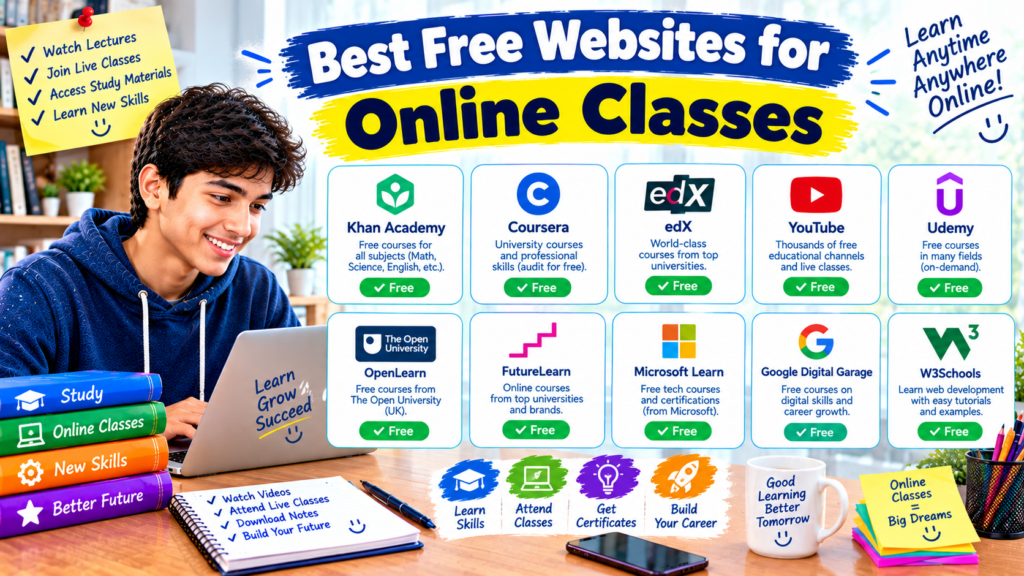
Imagine you want to learn graphic design, improve your mathematics, or take your first computer programming class. You search Google and find dozens of online courses. Some look useful, others require payment, and a few promise certificates that you are not sure you need.
It can be difficult to decide where to start.
The good news is that you do not always need to pay for an online class. Many educational websites provide free lessons, video lectures, exercises, and even complete courses. Some let you study at your own pace, while others offer structured lessons from universities and experienced educators.
The trick is choosing a website that matches your goal. If you want help with school subjects, a learning platform with practice questions may be the best option. If you want to learn a professional skill, an online course platform might be more suitable.
In this guide, we will look at seven of the best free websites for online classes, what each one offers, and how to choose the right option for your learning needs.
What Should You Look for in a Free Online Learning Website?
Before signing up for a course, consider what you actually need.
A good learning website should offer useful lessons, clear explanations, and a straightforward way to follow your progress. Depending on your subject, you may also want quizzes, assignments, downloadable resources, or practical projects.
Here are a few things worth checking:
- Course quality: Are the lessons clear, organized, and relevant to your goal?
- Cost: Is the entire course free, or only the introductory material?
- Certificates: Can you earn a certificate without paying extra?
- Learning style: Does the course use videos, reading materials, exercises, or projects?
- Flexibility: Can you study whenever you have time?
- Device compatibility: Does the website work well on your laptop, tablet, or phone?
Pay particular attention to the difference between free learning and free certification. A website may let you watch lessons without charge but require payment for a verified certificate.
1. Khan Academy — Best for School Subjects
Best for: School students who need help with mathematics, science, and other academic subjects.
Price: Free learning resources.
Website: Khan Academy
Khan Academy is a useful starting point if you want to strengthen your understanding of a school subject without paying for extra tuition.
The platform offers instructional videos, articles, practice exercises, and quizzes. Rather than only watching lessons, you can work through questions and check your understanding as you go. Its learning resources are available free of charge.
What can you learn?
Depending on the courses available for your level, you can explore subjects such as:
- Mathematics and algebra
- Biology, chemistry, and physics
- Grammar and language skills
- Economics and history
- Computing and selected test-preparation topics
Students in Pakistan can also explore Khan Academy Pakistan, which provides curriculum-aligned learning resources in English and Urdu for selected grades and subjects.
How to get started
- Visit the Khan Academy website.
- Search for your subject or browse the available courses.
- Choose a lesson that matches your current level.
- Watch the explanation and complete the related practice questions.
- Return to difficult topics and repeat the exercises when needed.
For example, if you struggle with algebra, begin with a lesson on equations instead of jumping straight into advanced problems. Work through the explanation, answer the practice questions, and review any mistakes.
What makes it useful?
Khan Academy is particularly helpful when you want to understand a topic rather than simply memorize information.
One limitation is that it is not designed to replace every school curriculum or classroom. Check that the material matches your syllabus and grade level.
My recommendation: Start here if you need extra practice with school subjects and want a free way to review difficult lessons.
2. Coursera — Best for Career and Professional Skills
Best for: Learners interested in technology, business, data analysis, communication, and professional development.
Price: Selected courses and learning materials are available free; other courses and certificates may require payment.
Website: Coursera
Coursera brings together online courses from universities, companies, and other educational organizations. It is worth exploring if you want to learn a skill that goes beyond your regular school subjects.
You can find courses related to programming, digital marketing, project management, artificial intelligence, business, and many other areas.
What can you learn?
Some examples include:
- Introduction to computer science
- Digital marketing fundamentals
- Basic data analysis
- Business communication
- Artificial intelligence concepts
- Project management skills
How to find free classes
- Visit the Coursera free courses page.
- Search for the skill you want to learn.
- Open a course and review its enrollment options.
- Check which videos, readings, assignments, and other materials are included for free.
- Confirm whether a certificate costs extra before enrolling.
Coursera’s free options vary. Some courses offer free learning from start to finish, while others provide a free preview of the first module or require payment for full access and certificates.
Is Coursera suitable for beginners?
Yes, provided you choose an introductory course that matches your experience.
Suppose you want to learn data analysis. Instead of beginning with an advanced course, look for one that explains spreadsheets, basic data concepts, and simple examples.
Keep in mind: Do not assume every course on Coursera is completely free just because the platform has free options. Read the enrollment details carefully before committing to a course.
3. edX — Best for University-Level Online Classes
Best for: Students who want structured academic courses and university-level learning materials.
Price: Free audit options are available for many eligible courses; certificates and certain features may require payment.
Website: edX
If you are curious about subjects taught at universities, edX is worth a look. The platform offers online courses from universities and other institutions, covering areas such as computer science, mathematics, business, science, and humanities.
Some courses are designed for beginners, while others expect prior knowledge.
What makes edX different?
Many edX courses follow a structured learning path. You may find video lectures, readings, activities, and assignments arranged by week or topic.
For eligible courses, the free audit track lets you study without paying an enrollment fee. However, it generally does not include a certificate or graded assignments. Availability and access terms vary by course.
How to begin
- Visit the edX website.
- Search for a subject, such as computer science or business.
- Read the course description and prerequisites.
- Open the enrollment options.
- Select the free audit option if it is available and meets your needs.
A practical example
Imagine you want to understand the basics of artificial intelligence before choosing a college subject. You could look for an introductory course, watch the lectures, and make notes about the main concepts.
You do not need to start with a highly technical course. Choosing the right level makes it easier to stay interested and understand what you are learning.
Best for: Learners who enjoy organized courses and want to explore subjects in greater depth.
4. MIT OpenCourseWare — Best for Free Academic Study Materials
Best for: Independent learners who want access to university course materials.
Price: Free.
Website: MIT OpenCourseWare
MIT OpenCourseWare, often called MIT OCW, provides educational materials from courses taught at the Massachusetts Institute of Technology.
You can explore subjects across science, engineering, mathematics, economics, humanities, and more. Depending on the course, the materials may include lecture notes, reading lists, assignments, exams, and video lectures.
MIT makes these resources available without requiring enrollment or an account. However, MIT OCW does not provide course credit or certificates.
How to use MIT OpenCourseWare
- Visit the official website.
- Search for a subject or browse the available departments.
- Open a course that matches your interests.
- Read its syllabus to understand the topics and learning sequence.
- Work through the available lectures, readings, and exercises.
Why students might like it
Suppose you are interested in engineering or computer science and want to explore university-level material before choosing a degree. MIT OCW can give you access to learning resources that help you understand what a subject involves.
You can also use it to review a topic you have already studied.
What should you know first?
MIT OCW is more like an open library of course materials than a traditional online classroom. Some courses provide extensive video lectures, while others rely more heavily on reading materials and assignments.
There may not be an instructor checking your progress, so you need to manage your own study schedule.
Best for: Curious learners who want in-depth academic material and are comfortable studying independently.
5. OpenLearn — Best for Free Short Courses
Best for: Beginners who want to explore new subjects without a major commitment.
Price: Free.
Website: OpenLearn
OpenLearn is the Open University’s free learning platform. It offers courses across a range of subjects, including education, health, history, science, business, and personal development.
Its courses vary in length, so you can choose a short introduction or a more detailed learning experience. OpenLearn also provides downloadable learning materials for offline study. Completing a course can earn you a free statement of participation, and eligible Badged Open Courses offer free digital badges. These are not the same as accredited qualifications.
What can you learn?
Depending on the current catalogue, you can explore topics such as:
- Study and research skills
- Psychology and personal development
- History and culture
- Science and technology
- Business and work-related skills
- Health and society
How to start learning
- Open the OpenLearn course catalogue.
- Browse by subject or search for a topic.
- Check the estimated study time.
- Read the learning outcomes.
- Begin with a course that fits your available time.
Why short courses can be helpful
If you are unsure whether you will enjoy a subject, a short course is a sensible way to explore it.
For example, you could take an introductory course on study skills before deciding whether to pursue a more advanced course in education.
Best for: Students who want to try something new and prefer flexible, self-paced learning.
6. Alison — Best for Practical Skills and Free Learning
Best for: Learners exploring workplace skills, business, technology, and personal development.
Price: Courses are free to study; optional certificates may cost extra.
Website: Alison
Alison offers online courses in areas such as information technology, business, management, communication, and personal development.
It can be useful if you want to explore a practical skill without paying for course access.
What can you learn?
Depending on the courses available, you may find lessons on:
- Computer basics
- Business and management
- Customer service
- Digital skills
- Communication
- Workplace development
How does the free option work?
- Visit Alison.
- Search for a subject or skill.
- Read the course description and learning objectives.
- Check the expected duration and assessment requirements.
- Enroll and work through the lessons.
Alison confirms that learners can study and complete courses for free. Its digital and printed certificates may be available for purchase, while learners can access a free Learner Record showing completed courses and results.
Is it worth using?
Alison is worth considering when you want to explore a topic and build your knowledge at your own pace.
However, think carefully before paying for a certificate. First, check whether the certificate is recognized or relevant to the school, employer, or organization where you intend to use it.
Completing an online course can demonstrate initiative, but it does not automatically guarantee a job or professional qualification.
Best for: People who want to learn practical topics and are comfortable checking certificate terms before enrolling.
7. Harvard CS50 — Best for Learning Computer Science
Best for: Students interested in programming, computer science, and problem-solving.
Price: Free course materials are available; optional certificates through separate course offerings may cost extra.
Website: Harvard CS50
If you want to learn how programming works, Harvard’s CS50 is a strong option to explore.
CS50’s Introduction to Computer Science covers core computing concepts, including algorithms, data structures, memory, and programming. Its course materials also introduce languages and technologies such as C, Python, SQL, HTML, CSS, and JavaScript. The official course site allows learners to follow its materials for free.
What makes CS50 interesting?
Instead of only teaching you how to memorize programming commands, the course focuses on solving problems and understanding how software works.
That approach can be useful if you eventually want to learn web development, software engineering, or another computing field.
How to begin
- Open the official CS50 course website.
- Read the introduction and course instructions.
- Start with the first week’s material.
- Watch the lecture and follow the recommended lessons.
- Attempt the problem sets and work through the material at a manageable pace.
Is it suitable for complete beginners?
The course welcomes learners without prior computer science experience, but that does not mean every lesson will be easy.
Some assignments require patience and problem-solving. If a task feels difficult, revisit the lecture, review the examples, and divide the problem into smaller parts.
Best for: Students who are genuinely interested in computer science and want a challenging learning experience.
Quick Comparison of the Best Free Websites for Online Classes
| Website | Best for | Free learning | Certificate information |
|---|---|---|---|
| Khan Academy | School subjects | Yes | Focuses on learning and practice |
| Coursera | Professional skills | Selected options | Depends on the course and plan |
| edX | University-level topics | Audit options for eligible courses | Usually paid for verified certificates |
| MIT OpenCourseWare | Academic materials | Yes | No certificates from OCW |
| OpenLearn | Short courses | Yes | Free participation statements and some digital badges |
| Alison | Practical skills | Yes | Optional certificates may cost extra |
| Harvard CS50 | Computer science | Free course materials | Check the specific course’s certificate options |
Free access can mean different things on different platforms. Before starting, check the individual course page for any restrictions on assignments, course duration, certificates, or other features.
How to Choose the Right Online Class for Your Needs
With so many options available, it helps to begin with a clear goal.
Step 1: Decide what you want to learn
Write down one specific objective.
For example:
- Improve algebra before your next examination.
- Learn the basics of digital marketing.
- Understand computer science.
- Improve your academic writing.
- Explore a new subject before choosing a college course.
A clear goal makes it easier to find a relevant class.
Step 2: Choose a suitable website
Match the goal to the platform.
If you need school-level practice, begin with Khan Academy. If you want university-style course materials, explore MIT OpenCourseWare. If you want professional skills, compare relevant courses on Coursera, edX, or Alison.
Step 3: Check the course requirements
Read the description before enrolling.
Look for the expected skill level, estimated study time, required software, language, and assessment format.
If the course requires programming knowledge and you have never written code, an introductory course may be a better starting point.
Step 4: Make a simple weekly study plan
You do not need an elaborate timetable.
Choose a few study sessions that fit around school, family responsibilities, and rest. For example, you could watch one lesson on Tuesday, complete its exercise on Thursday, and review your notes on Saturday.
The schedule should be realistic enough to follow consistently.
Step 5: Practice what you learn
Watching videos can help you understand a topic, but practice helps you discover what you can actually do.
For a programming class, try writing a small program. For a business course, work through a sample case study. For mathematics, solve questions without immediately checking the answers.
Step 6: Track your progress
Keep a simple record of lessons completed, topics understood, and questions you still need to review.
At the end of each week, ask yourself what you can now explain or do that you could not do before.
This is a more useful measure of progress than simply counting how many videos you watched.
Common Mistakes to Avoid When Taking Online Classes
1. Signing Up for Too Many Courses
It is tempting to enroll in five different classes because they all look interesting. The problem is that too many courses can make it difficult to finish any of them.
Choose one main course first. Add another when you have developed a routine or completed your original goal.
2. Assuming Every Course Is Completely Free
Some websites provide free lessons but charge for certificates, graded assignments, or full access.
Check the course’s enrollment options before you begin, especially if you have a limited budget.
3. Watching Lessons Without Practicing
A lesson may seem easy while the instructor is explaining it. The real test comes when you try to answer a question or complete a task independently.
Make time for practice after each important lesson.
4. Choosing a Course That Is Too Advanced
An advanced course may contain useful information, but it can be frustrating if you are missing the basics.
Read the prerequisites and begin at a level that matches your knowledge.
5. Ignoring the Course Language
Before enrolling, check the language of the lectures, reading materials, and subtitles.
If English is difficult for you, start with a course that offers clear explanations and accessible language options where available.
6. Expecting a Certificate to Guarantee Success
A certificate can document course completion, but it does not automatically prove that you can apply a skill in real situations.
Use what you learn. Build small projects, solve practical problems, and keep examples of your work when appropriate.
7. Giving Up After One Difficult Lesson
Some topics take longer to understand than others. Instead of abandoning the course immediately, revisit the explanation, look for an introductory lesson, and break the topic into smaller steps.
Progress does not always happen at the same speed, and that is normal.
Frequently Asked Questions
1. Which website is best for free online classes?
It depends on your learning goal. Khan Academy is a good starting point for school subjects, OpenLearn offers free short courses, and MIT OpenCourseWare provides university course materials. Coursera and edX also have free learning options, but access varies by course.
2. Can I take online classes for free without paying for a certificate?
Yes. Many websites allow you to study without purchasing a certificate. For example, MIT OpenCourseWare is free and does not provide certificates, while Alison offers free learning with optional paid certificates. Always check the terms for the course you choose.
3. Are free online classes useful for students?
They can be very useful for reviewing school subjects, exploring new interests, and developing practical skills. Their value depends on the course quality and how actively you apply what you learn.
4. Can I attend online classes on a mobile phone?
Many platforms can be accessed through a mobile browser or a supported app. However, some courses may be easier to complete on a laptop, especially when they involve programming, long assignments, or specialized software.
5. Are free online course certificates recognized by employers?
Recognition varies by employer, industry, and certificate. Some employers value particular certifications, while others focus more on practical skills, experience, and qualifications. Check the requirements for your intended career before paying for a certificate.
6. Which free website is best for learning computer science?
Harvard CS50 is worth exploring if you want a structured introduction to computer science. MIT OpenCourseWare is another option for learners who want to study computing and related academic subjects independently.
7. How do I stay motivated during an online course?
Set a small weekly goal, schedule study sessions, and practice after each lesson. Choose a course that genuinely interests you, and keep track of what you have learned rather than focusing only on how much remains.
Final Thoughts
You do not need to spend money immediately to begin learning something new. There are free online classes for school subjects, academic topics, computer science, and practical skills.
The most useful choice depends on what you want to achieve. Start with Khan Academy if you need help with schoolwork, explore OpenLearn for short courses, or try Harvard CS50 if computer science interests you. Coursera, edX, Alison, and MIT OpenCourseWare offer other ways to explore subjects and build your knowledge.
Pick one course, check that its free option meets your needs, and set aside time to study each week. Focus on understanding the material and practicing what you learn.
You do not have to finish everything at once. A small amount of consistent learning can be a useful starting point for developing a skill that matters to you.